




ExchangeDefender’s AnythingDown.com – See How It Works!
As promised in the last webinar, we’re moving as aggressively as possible to make sure our partners have as flexible of a tool as we can imagine to communicate with clients in the event of an IT catastrophe. Or, in our case, to further increase transparency and collaboration with all our ExchangeDefender service providers so you can get better insight into our network and when we’re dealing with a lot. That said, I believe that the product/service is now production ready and we’ve already tied it up in our ExchangeDefender Enterprise product so you’ll know as we know. 🙂
Remember, ExchangeDefender’s AnythingDown.com , or https://yourserviceproviderid.xdnoc.com – is your own brandable, real-time alert system that covers ExchangeDefender managed resources as well as your own custom defined events.
Let’s go on a little tour, shall we?
First, here is the nearly-final look of the site. It will of course feature your logo, your contact information, and your own services but you can see that there is now a sign in section as well as nested posts – so when something is updated it’s done so in-line and can be read normally (as opposed to just seeing the latest update and not knowing what it’s about at all).
Sign in screen is for you, just provide your service provider ID and password and you’re in your own portal.

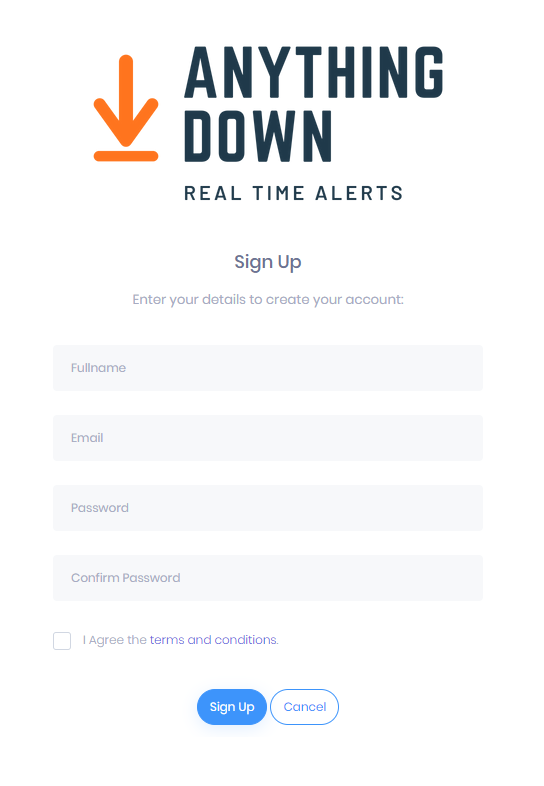
As for your users that want real-time updates via email or RSS/blog, we have a signup page (I know, I know, it’s idiotic but GDPR and EU have put this obstacle in place where we need contracts and disclosures about signing up for an email list).
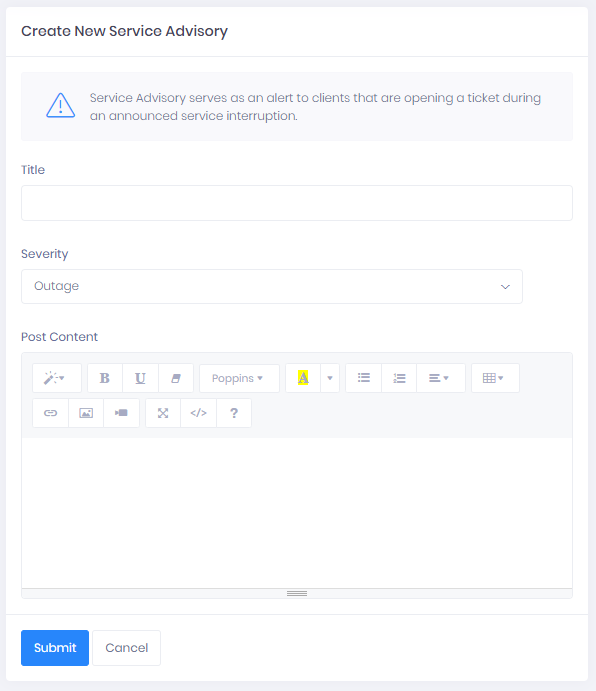
Once you’ve signed in as the service provider, you will have access to manage and create new service advisories. Just click on the Add New button in the upper right corner. If you’re managing a larger NOC and have a ton of fires going on (you’re among friends, #respect) you can also search current open advisories and make sure you update the correct one.

New advisory posting is pretty flexible and gives you actually quite a bit of power to include images, links, and other multimedia. As network geeks we’re used to plain text, ASCII, 80 columns across black on white kind of alerts but in the 21st century with lots of things going on sometimes you can throw out a quick alert with a screenshot of what’s going on rather than trying to document every single detail (for example, a cloud of daily network/ISP outages as an explanation why things are moving slow or getting delayed or buffered)
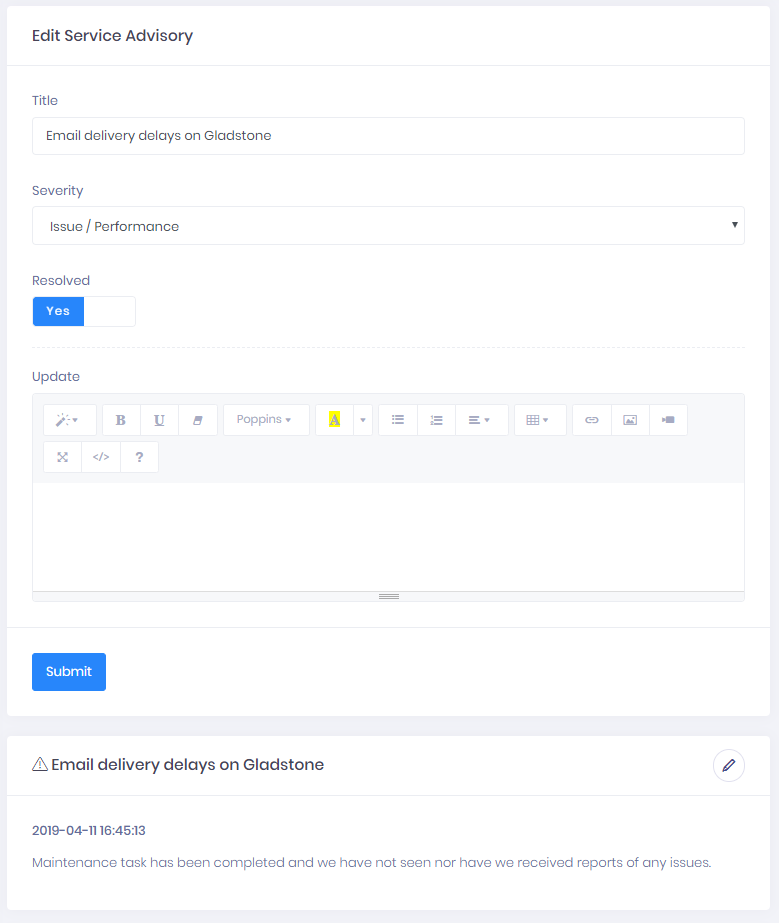
And of course, you can update every service advisory.
As mentioned last month, ExchangeDefender XDNOC </a> service is all about helping us work better with the people that pay us to help protect their networks and users. I have some rather personal thoughts on that subject, which will be a matter of another post. However, when you design software and when you serve as the gatekeeper, your primary responsibility to the people you’re protecting and waking up to keep safe every day is not just to keep things going but also to keep everyone aware of what is going on to improve things – because hackers don’t take days off.
Network Upgrades at ExchangeDefender
Many IT professionals have gone through a lifecycle infrastructure upgrade – the all important cycle of improving the infrastructure as the vendors push down new features with ever increasing resource demands. We’ve been doing that since 1997. One thing that has changed in the past 20 years is the scope and magnitude of both attacks and the network demands to manage them all. We’ve done an excellent job keeping up with them all, with our last major outage (that lasted nearly 4 hours) back in 2011. We learned a lot that day – and rolled it up into our products and services that many of our partners have experienced. These days, with the cloud services, the game is completely different.
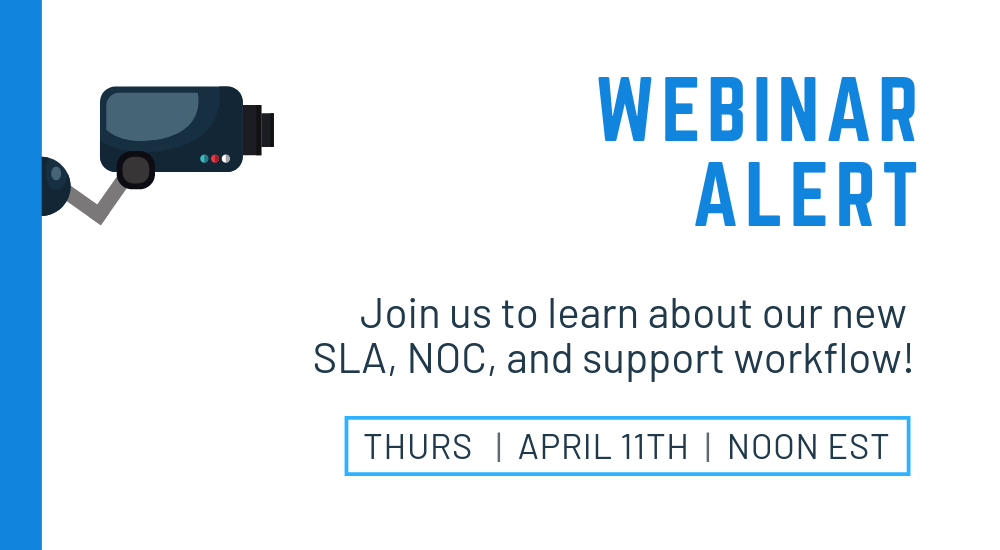
I hope you have a moment to join our WEBINAR next Thursday, April 11th, at noon
Register here: https://attendee.gotowebinar.com/register/5700720797827651073
It won’t be the usual rah-rah new features new stuff show. I will speak candidly about how we’ve managed to overcome and triumph in the “Cyber” security game and how we’re still always one step behind whatever 0-day attack vector comes down. I’ll be discussing (somewhat intimate) details about the performance issues, DNS issues, DC issues, subscription issues, 3rd party IP issues, and how all of these have become both an IT management issue and customer service nightmare. I truly hope you join us. I know your time is valuable and schedules get tight so if you can’t make it, the recording will be posted in our portal as usual.
What we learned last week – for the millionth time – is that communication in cases of issues is paramount. When things appear to go down, people panic. They require not just information but reassurance, confidence, and a plan required to address issues. For smaller companies, that’s a matter of just falling back to a cell phone – for larger ones (if it’s not already you, it definitely is something to consider for your clients) that is simply not an option and the volume of activity will easily and quickly overwhelm you. I used to see it every day – when issues come up for our partners, their clients call us.
We’ve made an overwhelming investment – not just in technology and features but manpower – that has fueled our growth for the last few years. I want to share, personally, exactly how we operate and how we’ve been able to both prioritize and execute some of the more impressive infrastructure enhancements and how they are going to be here to serve you for years when something happens.
And then I hope to offer you the same – as a token of our appreciation for your business and your loyalty through the years. Pretty excited, I hope you can join us.
Sincerely,
Vlad Mazek
CEO
ExchangeDefender
New Feature: ExchangeDefender Announcements
ExchangeDefender Announcements
As you’ve probably noticed, our feature development has really picked up in 2018 and we have an even more aggressive product roadmap for 2019. To help make sure everyone is on top of all the new features and that our partners (MSP/VAR) have the best possible way to keep all of our clients informed of the new features, we’re happy to announce the Announcements feature!
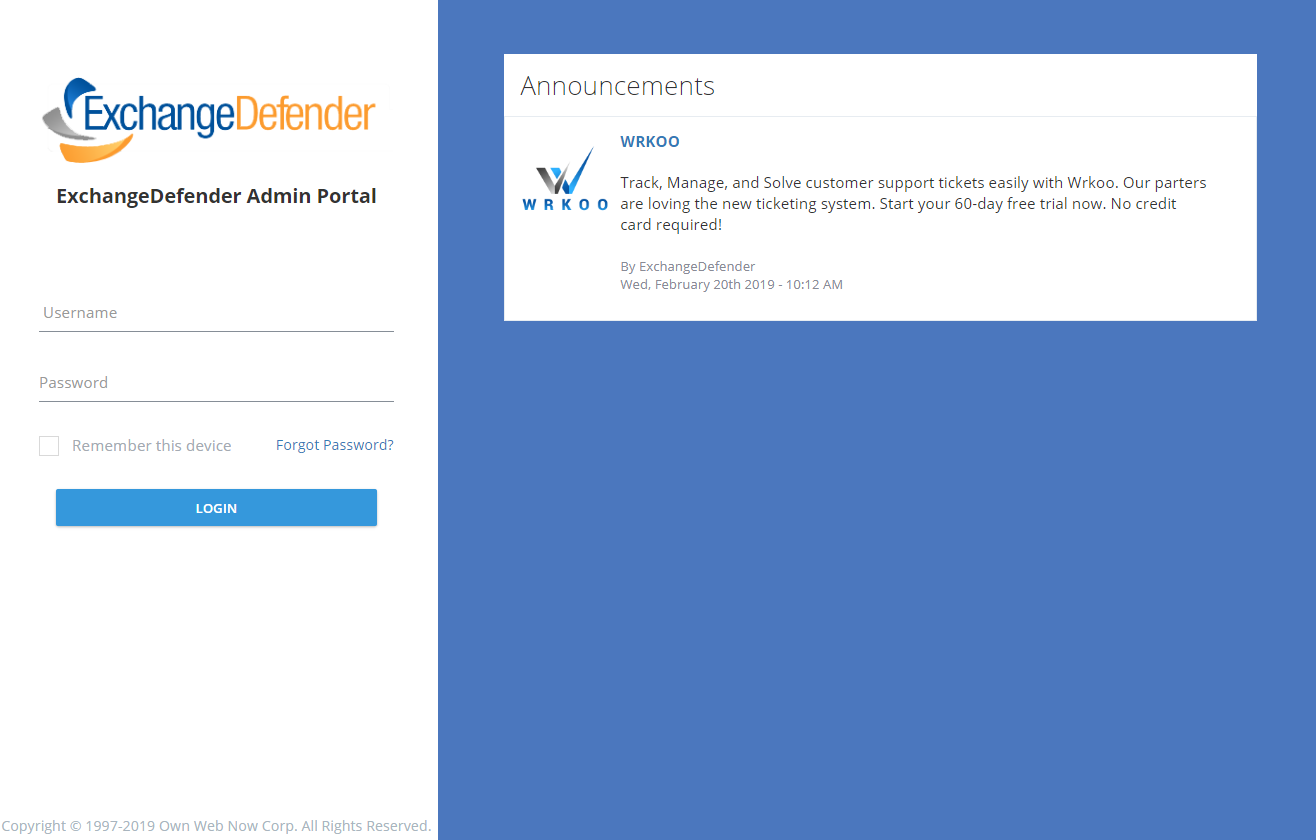
Starting in late February 2019, our service providers and CIOs alike will have the ability to post announcements that will be featured prominently on the ExchangeDefender admin login page, inside the user control panel, and in the domain/org control panel. As you can imagine, this feature has a lot of flexibility to help you efficiently target the right organizations and users.
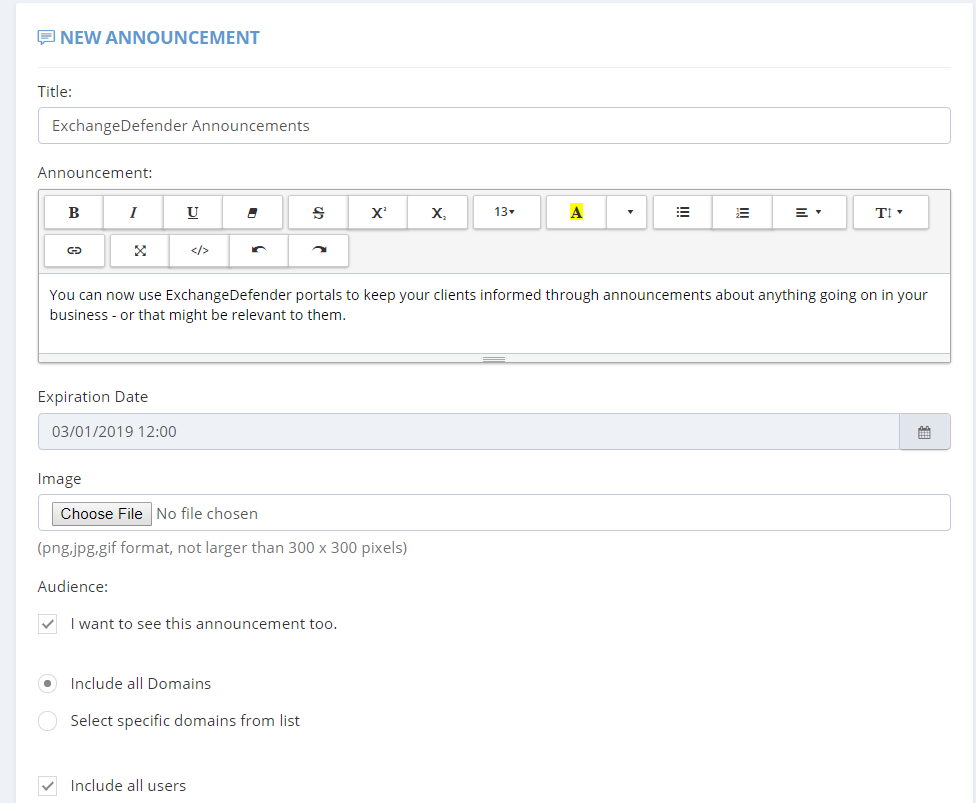
Announcement Feature Highlights:
– Announcement title and announcement contents can include HTML and you can even insert a picture for each.
– You can set the announcement expiration date so that the announcement doesn’t show up after a certain date. This is great for sales promotions, webinar registrations, etc.
– You can scope the announcement: It can be global (for all of your domains) or it can be scoped down to a list of domains you choose. As most of our MSPs manage different kinds of organizations, one-size-fits-all announcements rarely work and this feature can help you solve that problem by targeting each organization specifically.
– I want to see this announcement too: If you’re in a larger organization you likely have personnel that is responsible for different departments or companies. Because announcements are visible on the login page of your portal as well as control panels for service provider, domain/org, and end users you have the ability to not show end user announcements to your IT and management staff.
– Include all users: You can even write specific announcements that are targeted at end users.
As ExchangeDefender gets bigger and as the complexity and service portfolio grows, we need to help our partners and CIOs communicate the new ExchangeDefender features more efficiently. Since you control your announcements it is up to you if you use it for ExchangeDefender related stuff or if you use it for your own promotion or if you delegate it to your companies to use it as another outlet to broadcast organization-specific but important news to everyone.
Most ExchangeDefender users interact with the service daily so you have a perfect (captive) spot to reach them about a product they are already interacting with – instead of having it burried in an email newsletter that they likely won’t read. This has been among the most demanded MSP features for years and we’re happy to deliver something with enough power and flexibility that will make both your tech/support people happy (so they can address possible support issues) as well as marketing/sales (so they can better target their message). You can only display up to two (2) announcements at a time though so the only bad news here is that you’ll have to prioritize.
ExchangeDefender Exchange Account Lockout
ExchangeDefender is relieved to announce the availability of automated account lockout notifications. Our clients now have the ability to automatically locate, secure, and unlock email accounts that have been locked down due to too many bad login attempts.
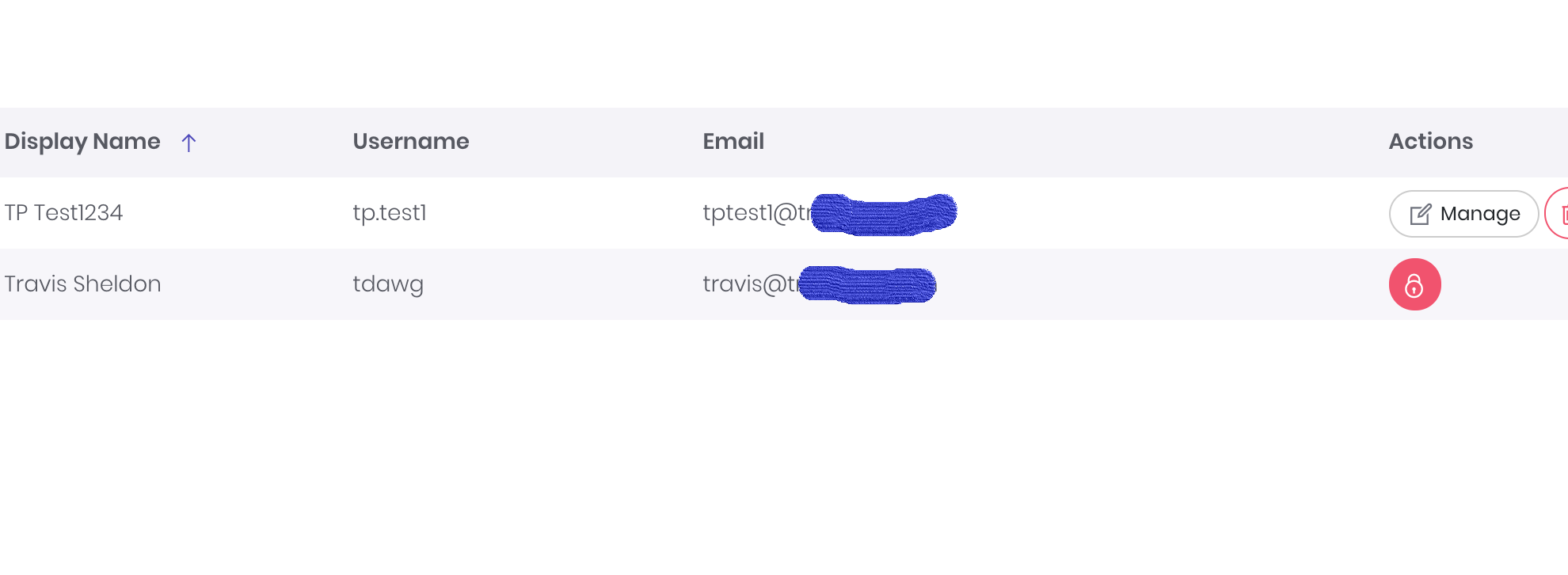
You will now notice a red lock icon next to any accounts that have been locked out and you can choose how to proceed in terms of restoring account access:
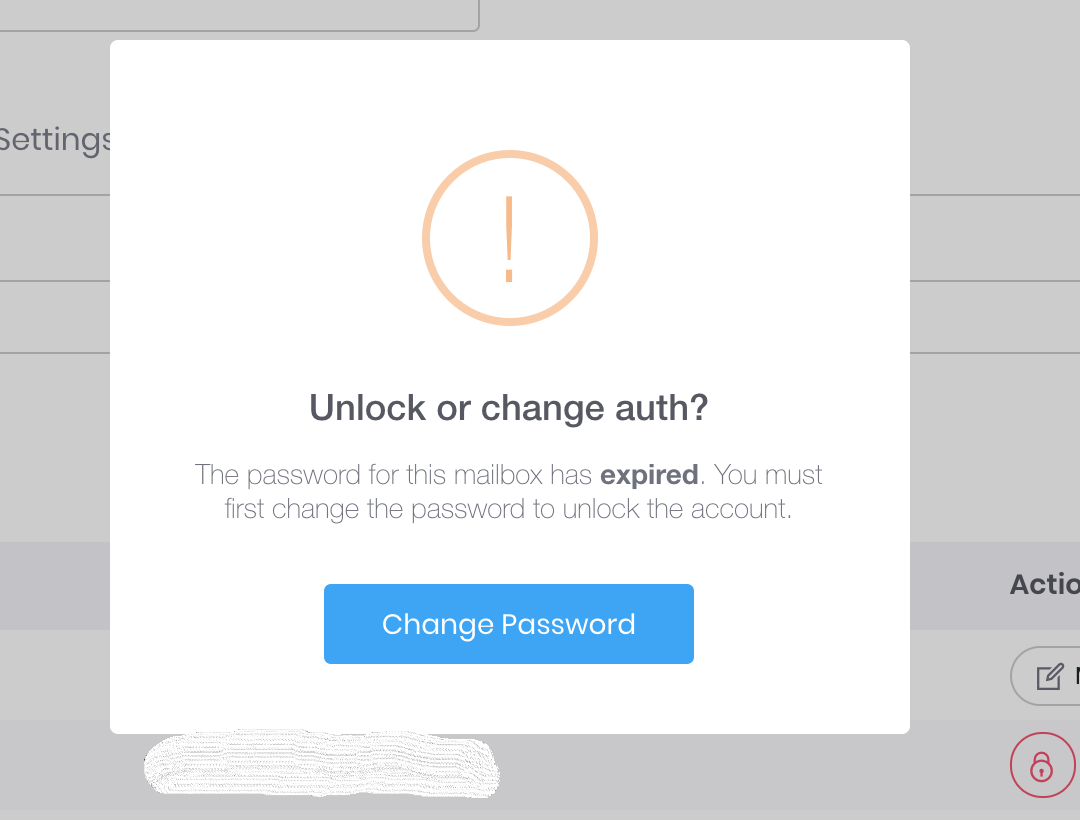
Password hacking and guessing is rampant, and has only been getting worse through 2018. Thankfully, we’ve automated the process of unlocking and changing authentication credentials in 2019.
However, there is a special case in which just “Unlock Only” option may be the best.
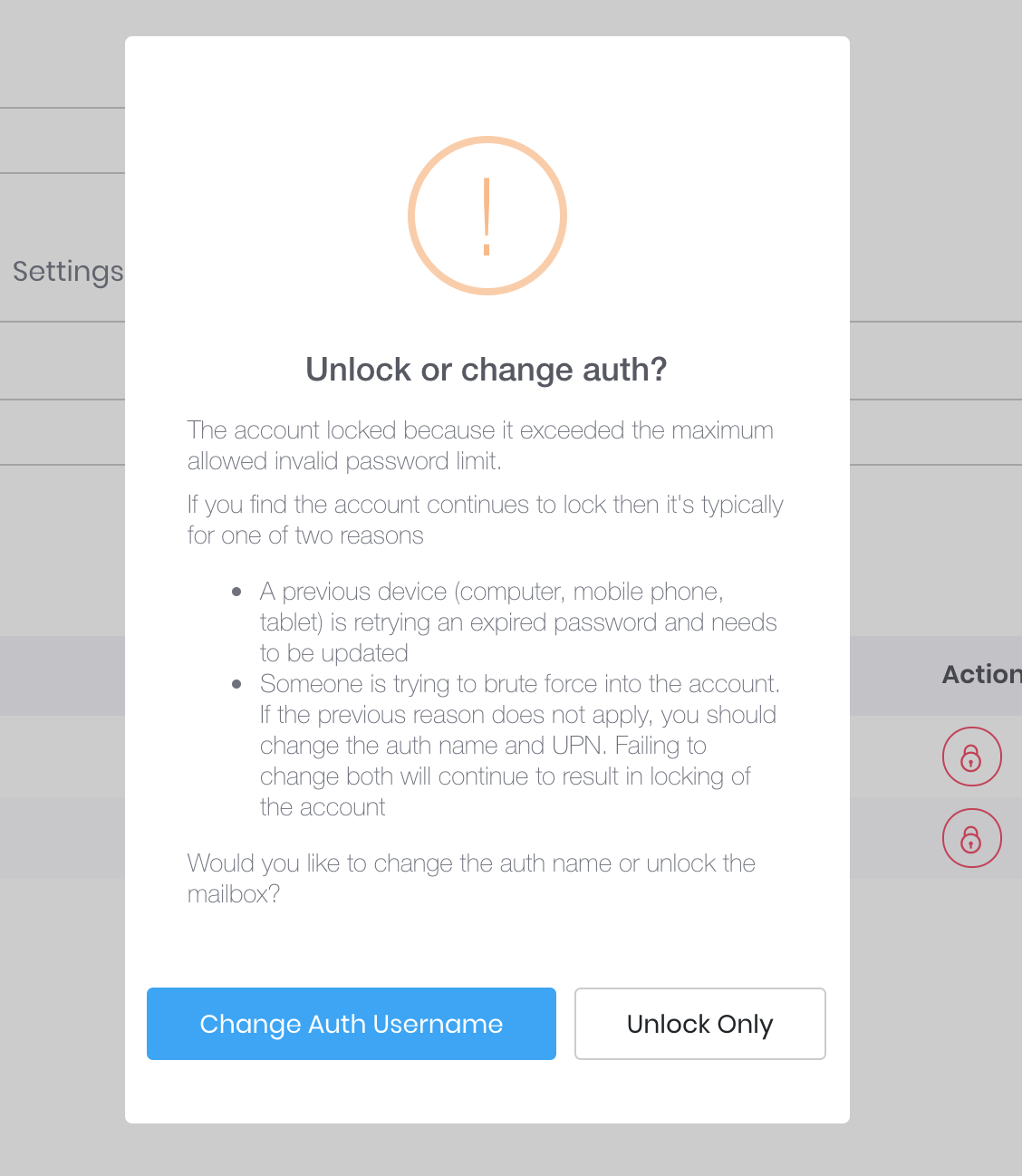
Suppose you have a power user that has a desktop at work, at home, a laptop or two, 2 iPads, iPhone, Galaxy S9 and a miscellaneous other device that is set to sync mail every minute. Totally not talking about our CEO. But suppose that is the case and you just changed the password – well if all these other devices are trying to authenticate with the old password you may actually trip your corporate policy for the unlock limit and lock the account again.
We hope this automated system will save our partners a ton of time and make managing security and security incidents a breeze. We wish we could have delivered this much sooner but as anyone involved in cybersecurity will tell you, priority #1 is always mitigation of the issue (which we’ve done through all our Exchange 2016 UI and management discussed in our webinars).
This feature will go live later this week (Feb 21, 2019) – please give us feedback and suggestions on what more we can do to give you more power or save you time.
ExchangeDefender IP and Device Restrictions
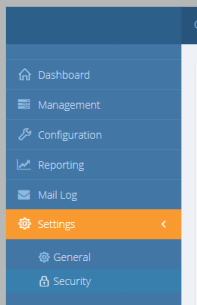
ExchangeDefender IP and Device Restrictions
ExchangeDefender is continuing it’s march to becoming your central point of secure communications by bringing even more of our custom Enterprise features down to the SMB/MSP space. As of today, you will start seeing another section added to the Service Provider screen specifically to house our advanced security settings.
Restrict ExchangeDefender access to your IP range
All large organizations that depend on ExchangeDefender have static IP addresses and IP ranges assigned to them by the ISP. ExchangeDefender has the power to restrict access to your organization (all domain and user logins) and only allow access from your offices.

Add Trusted/Known Devices For Easier Access
People love the notion of security until that security gets in a way by prompting them. We only want our security infrastructure to get in a way of hackers and to slow down and annoy people that want to do us harm. Good news is, now you can add devices you know to known and trusted device list.
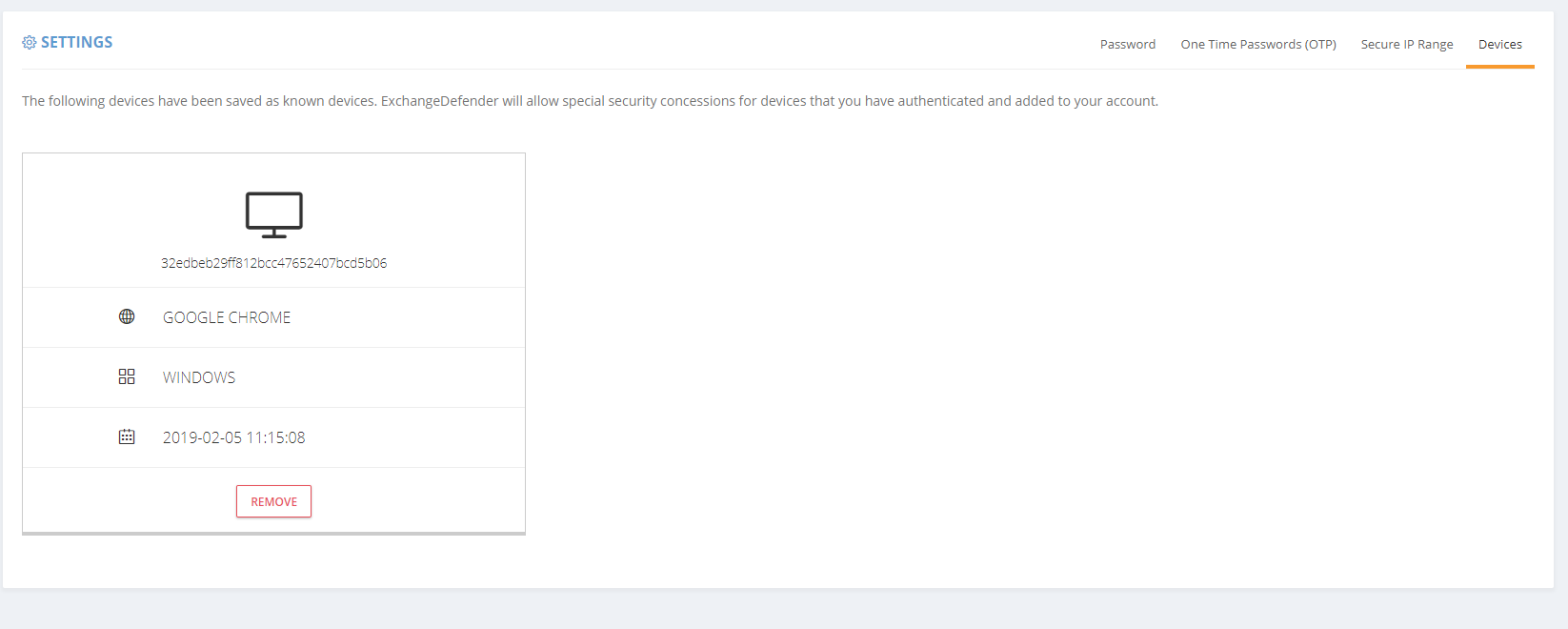
Doing so will minimize some of the additional checks and verification (such as 2FA/OTP one time password checks when you first log in from an unknown address). As an additional bonus, ExchangeDefender will start to deliver notifications and alerts whenever the system is accessed (successfully, meaning they know your password) from an unknown/untrusted device, giving you the first alert that there is a security issue to address.
As you’ve seen with mass password resets, access to advanced access logging, we are adding more, and more, of our enterprise features to the ExchangeDefender Pro product. To find out what else is on our road map, and how ExchangeDefender will evolve in 2019 to serve your other security needs, please tune into our webinar:
ExchangeDefender Mass Password Reset
ExchangeDefender has always been a great friend to the SMB community where folks hate passwords and password complexity right until the moment their password gets compromised. Once that happens, it’s up to the MSP or poor IT guy to sit around and reset all the passwords in the organization.
As mentioned previously, a number of ExchangeDefender Enterprise features is being delivered to ExchangeDefender Pro so now you’ll have the ability to reset every single users password quickly.
Under the domain login you will now see a “Security Reset” link that will allow you to either randomly assign a strong password (smart) and send your users a reset link or pick the same password for all users (outright idiotic but “business requirements”).
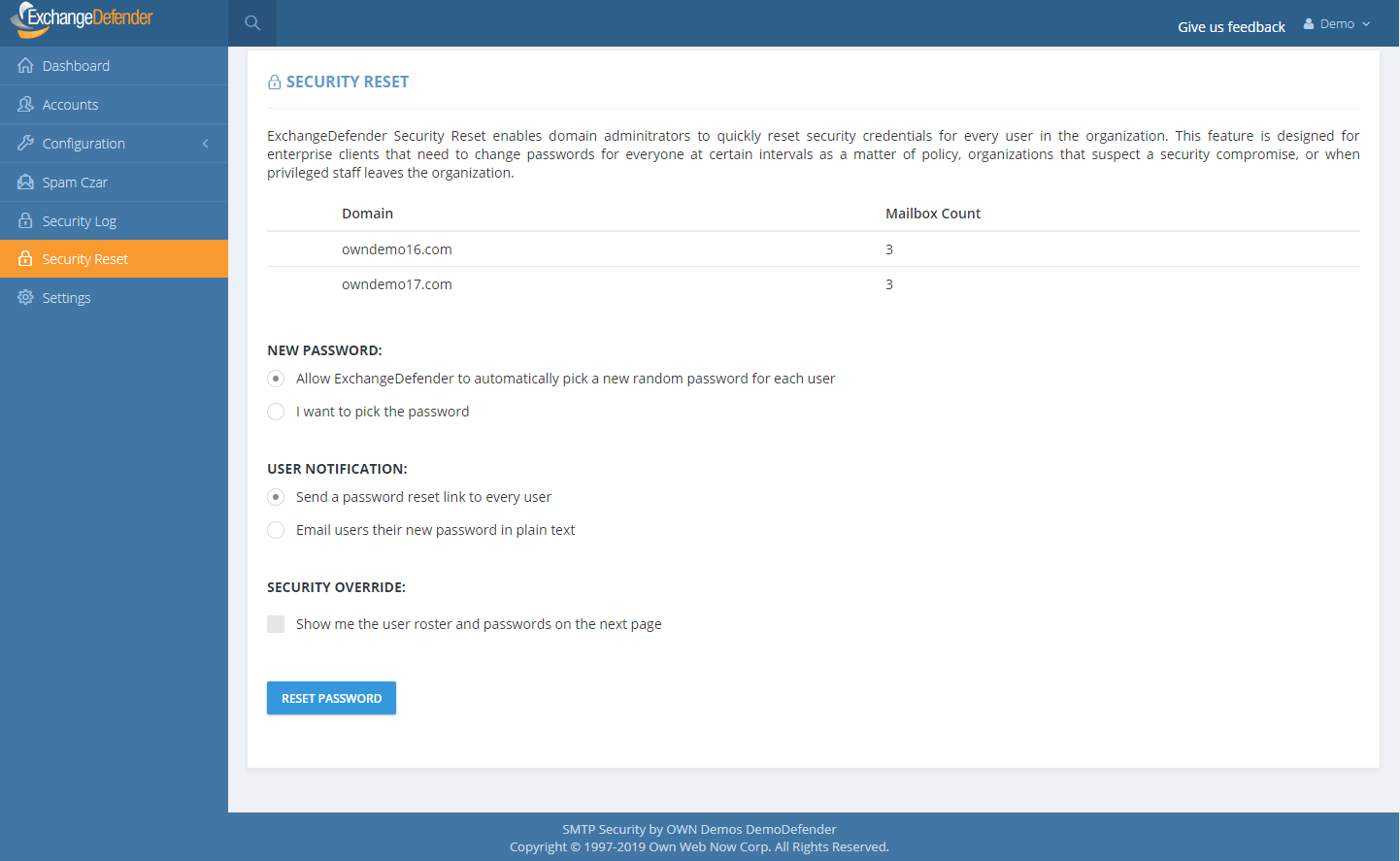
If you are an MSP assisting a client during an outage and this is the first time you’re making your users aware of ExchangeDefender LiveArchive for business continuity, you can also print out the passwords and/or email them to your users in plain text. This is a horrible, terrible, idiotic, really bad idea that virtually guarantees you’re going to get hacked but we are here to serve and Howard is a really good friend so here it is:
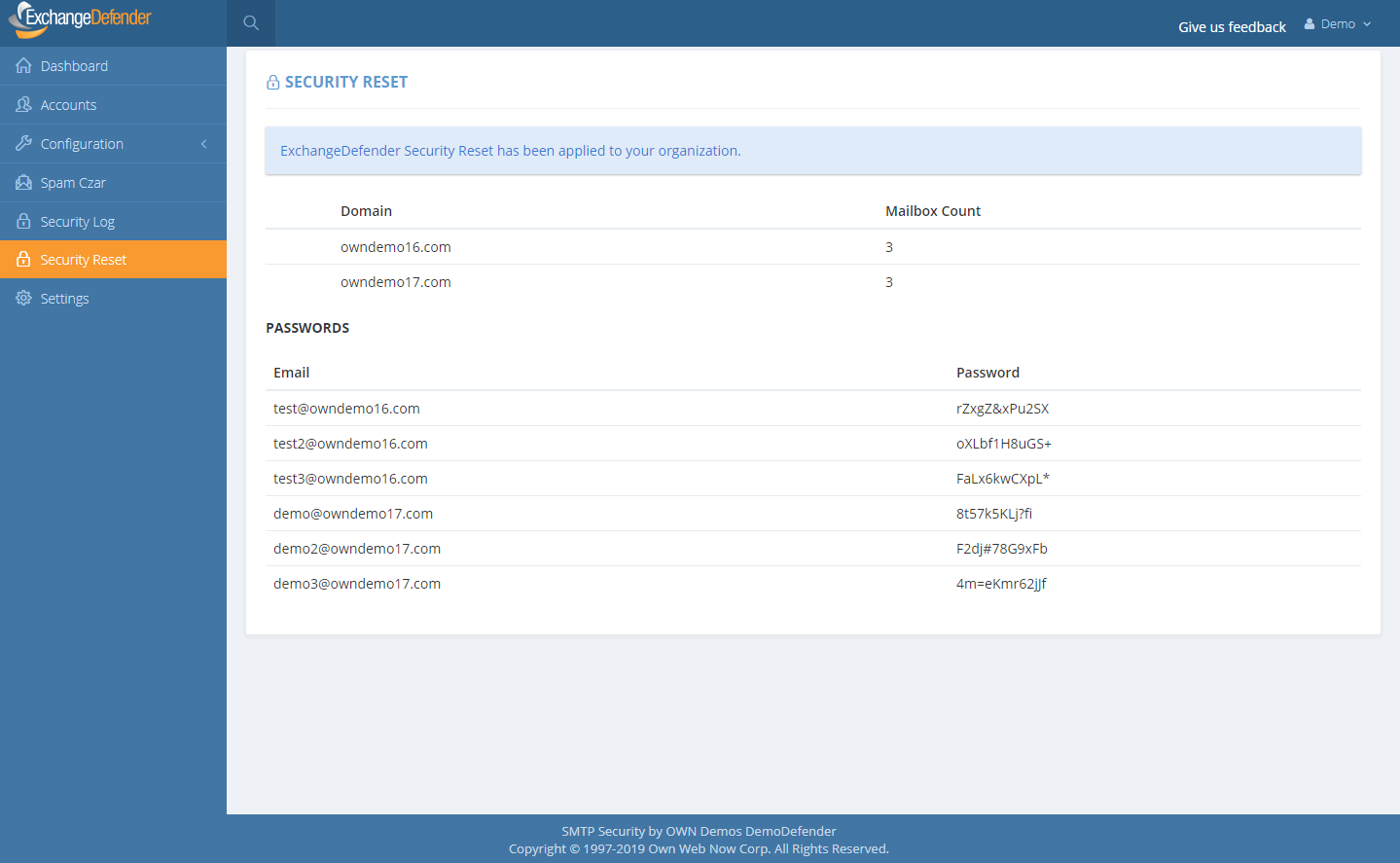
Just a word of warning: If you select to send your users a new password in clear text, and show the roster with the plain text password on the next page, for whatever ungodly reason, please add a note to come back later and lock your users down. Most MSPs keep the same password for ExchangeDefender and Exchange, and these services also affect ExchangeDefender Encryption, LiveArchive, WebFileShare, Compliance Archive, eDiscovery, FailPOP, mobile, etc and leave you open for collateral damage. Unless you’re using 2FA/OTP, restricting IP address ranges, rotating passwords frequently, I can guarantee that your passwords will be compromised. Please, please, please don’t do this, we are only making it available as the feature of last resort.
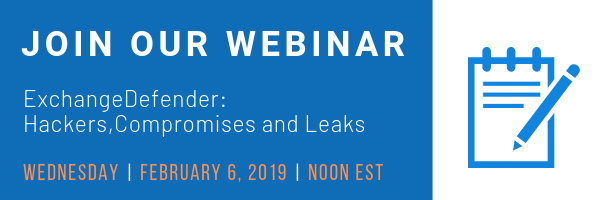
As we add these advanced security controls into ExchangeDefender Pro (and some even for Essentials) we will be tightening the security of the platform around. To hear more about our plan for 2019, please sign up for the webinar on February 6th at noon EST. Click the banner below to reserve your seat.
Compelling Reasons To Move To Exchange 2016
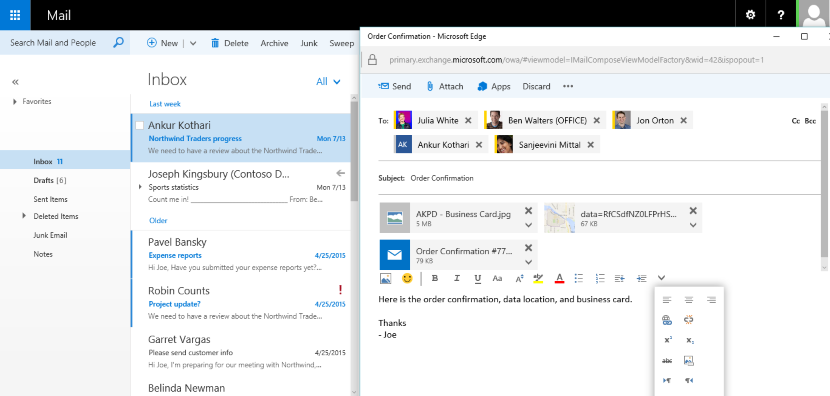
The time to move over to Exchange 2016 is NOW!
We previously blogged about our brand new SMB User Interface initiative around Exchange 2016 hosting – we aim to simplify the management of Microsoft Exchange so that any white collar employee can manage business email administration end to end.
But what about Exchange 2016, what is so great about it? Truthfully (and this will not make our MSP friends happy) bulk of the Exchange 2016 benefits are really centered around making our life easier as the service provider – we’ve never been able to say this about ANY Microsoft product in the two decade history: we’ve had 0 issues. You read that correctly, we’ve had absolutely no problems with Exchange 2016 so the primary benefit is the overall reliability and flexibility of the platform. It’s solid.
But if you want to sit with a client and walk them through a set of features that are new and compelling – and a good reason to upgrade to our Exchange 2016 if they are still on another provider or earlier version of Exchange – here are some talking points.
P.S. We recommend getting a demo account with our sales team and discussing how we often position these services to win business. You can talk about it till you’re blue in the face but just showing them the feature live might make them not want to live without it.
Exchange 2016 Notable Features
Expanding Archives – When an archive mailboxes reaches 50 GBs, the archive mailbox expands. Under the covers, once the mailbox reaches a size of 50 GBs, another archive mailbox is automatically created and linked together to form a chain of mailboxes that acts as one logical mailbox. As archive mailboxes are added, the content is distributed across the mailboxes to even out the load. Keep in mind that auto expanding archives still don’t auto expand your storage backend. Make sure you have adequate storage to accommodate such growth.
Calendar – Do Not Forward: This is similar to Information Rights Management (IRM) for calendar items without the IRM deployment requirements. Attendees can’t forward the invitation to other people, and only the organizer can invite additional attendees.
Calendar – Better Out of Office: Additional options when you won’t be in the office. Key options include: add an event to your calendar that shows you as Away/Out of Office, and a quick option to cancel/decline meetings that will happen while you’re away.
Calendar – Remove-CalendarEvents cmdlet: Enables administrators to cancel meetings that were organized by a user that has left the company. Previously, conference rooms or meeting attendees would have these defunct meetings permanently on their calendars.
Outlook on the Web (Formerly known as OWA)
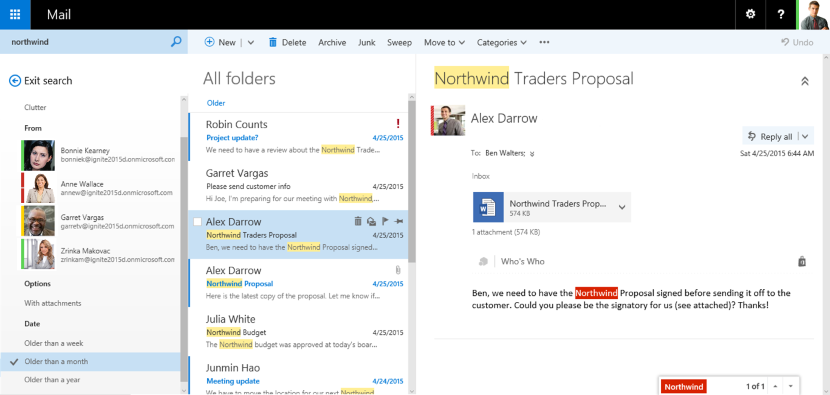
When you use Outlook on the Web you have access to powerful collaboration tools that help to improve productivity. As an end user, you can easily engage in document collaboration, URL and video previews in email messages, and access advanced search functions. These capabilities have been especially enhanced for the most recent web browser versions including Microsoft Edge, Google Chrome, IE 11, Safari, and Mozilla Firefox. Additionally, there is now a productivity toolbar that appears in the top of your web browser for easy access to the functions you frequently use such as calendars, reading and composing email messages, searches, accessing files and documents, and more.
Pin: This function allows you to highlight a message and pin it to your inbox so you can easily locate important messages.
Undo: The Undo function helps you recover messages that were inadvertently deleted and undo actions you accidentally executed.
Sweep: This capability allows you to easily manage messages you frequently receive by configuring the settings for the messages. You can choose to keep messages for a specified number of days, automatically delete certain messages, keep the latest messages, and more.
Emoji’s: The Emoji’s provide enhancement to expressions in your email messages. Since contact is not face to face, you can use this function to display emotions.
Organised Archiving: Exchange 2016 allows you to easily organise old email messages into designated folders with one click of your mouse. This helps to reduce inbox clutter.
Personalisation: A series of new themes have been added to Exchange 2016 to provide a more personalized experience when working with email messages.
Outlook 2016
As mentioned earlier, Outlook 2016 offers enhanced features for collaboration in addition to a few other functions mention here.
Quick Access to Recent Files: This feature allows you to easily access recent files stored in OneDrive for Business, SharePoint
Online, and OneDrive using a convenient dropdown menu.
Improved Screen Resolution: The intuitive DPI support features provides you with enhanced screen rendering when using Outlook.
HTML Format for Appointments and Meetings: You can now use rich HTML for email messages and attachments.
TellMe: The TellMe feature prevents you from having to search the productivity ribbon for a function you want to use.
Smart Lookup: Helps you to locate information on the web related to content in an email message. This feature places the information in directly in your inbox from sources such as Wikipedia, Bing, and others.
Small Screen Support: Enhanced support for small screens allows you to automatically adjust Outlook to adapt to your device screen. A back button allows you to easily switch screens to easily work with your message list and reading window.
Enhanced Multilingual Support: Exchange 2016 offers more international characters to support messages and documents in different languages.
Better Storage: Exchange 2016 offers improved settings that allow you to specify how long you want to retain email on your device. Outlook is designed to monitor disk space. If your space has become reduced, it will automatically set a smaller timeframe for syncing.
More Office Themes: A new Colorful theme has been added to Outlook 2016 while maintaining the previous white and dark grey theme options.
Improved Email Performance: With Exchange 2016, the time it takes to download and display messages as well as wake after hibernation has been reduced.
Outlook for iOS and Android
Early last year, Microsoft introduced Outlook email for the iOS and Android operating systems. This move helped to expand Exchange capabilities to more devices and operating systems.
Some of the features include:
Quick File Access: This features allows you to easily separate important emails from less urgent ones by using the double tab feature.
Calendar Availability Notification: The Calendar feature allows you to easily send the times you are available to your colleagues, friends, and co-workers.
Schedule Emails: This function allows you to remove an inbox message and schedule to appear at a later time when it is more convenient.
Directory Search: The Directory Search function provides a way to quickly find people and their location.
Automatic Replies: Exchange 2016 allows you to set messages to let others know you are out of the office. An icon remains on the screen to remind you this function is activated.
ExchangeDefender Office Macro (OLE) Dangerous Content Filtering

ExchangeDefender Office Macro (OLE) Dangerous Content Filtering
ExchangeDefender now includes advanced protection from dangerous Microsoft Office macro code (OLE). Since usage of Office macro code is very limited (and seldom moved via email) it’s almost universally used as an attack vector by hackers who send malicious macro code embedded in Microsoft Office documents that target vulnerabilities in Outlook, Word, Excel, Powerpoint, and more.
Specifically, our service scans the following attachments for the presence of dangerous, encrypted, malformed, malicious, or suspicious code: doc,dot,pot,ppa,pps,ppt,sldm,xl,xla,xls,xlt,xslb,docm,dotm,ppam,potm,ppst,ppsm,pptm,sldm,xlm,xlam,xlsb,xlsm, and xltm. If we detect something suspicious or dangerous the message will not be destroyed or quarantined (as is the case with virus or infected attachments) – rather we just filter it to SureSPAM.
Managing Your OLE Protection
We will start strictly enforcing macro protection on January 1, 2019. However, the feature is available now and can be enabled at any time by going to https://admin.exchangedefender.com and logging in as a domain administrator (if you don’t see the setting, you aren’t logging in with your domain account but your personal or service provider account).
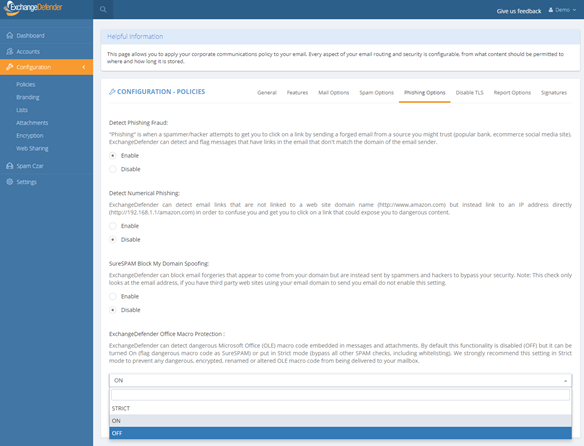
Click on Configuration > Policies > Phishing Options.
At the bottom of the form you will see “ExchangeDefender Office Macro Protection” section that is currently (October 2018) set to Off. The following options are available:
Off – Turns off ExchangeDefender Office Macro (OLE) protection
On – Turns on the protection but whitelisting the domain/email will bypass it
Strict – Turns on the protection and ignores whitelists
ExchangeDefender recommends this setting be configured as Strict in order to protect from spoofing where clients own domain or vendor (that doesn’t have SPF/DKIM implemented) address is used to deliver a dangerous attachment. Using “Strict” setting bypasses whitelist checks so if the message contains dangerous content it will automatically go into SureSPAM even if the domain is whitelisted.
What do I tell the users?
First, set the setting to Strict. Then, adjust the date in the message below and make sure SureSPAM settings are set to Quarantine.
“Starting with January 1, 2019, ExchangeDefender will protect you from dangerous attachments that contain rarely used Microsoft Office macro (OLE) code. If dangerous macro code is detected in an attachment, message will go into SureSPAM category and if configured to quarantine the message will be accessible at https://admin.exchangedefender.com in the SureSPAM quarantine. We have enabled the protection for you. If you ever see a familiar contact/domain but you were not expecting the message, it’s likely being spoofed/forged in order to trick you to click on a dangerous attachment. Take an extra step and contact the sender asking them if they sent you a document. If not, delete the message.”
We hope this helps keep your users more secure and in our production use so far it’s helping stop 100% of dangerous content
ExchangeDefender Introduces Friendly Display Names

Friendly Names, Finally.
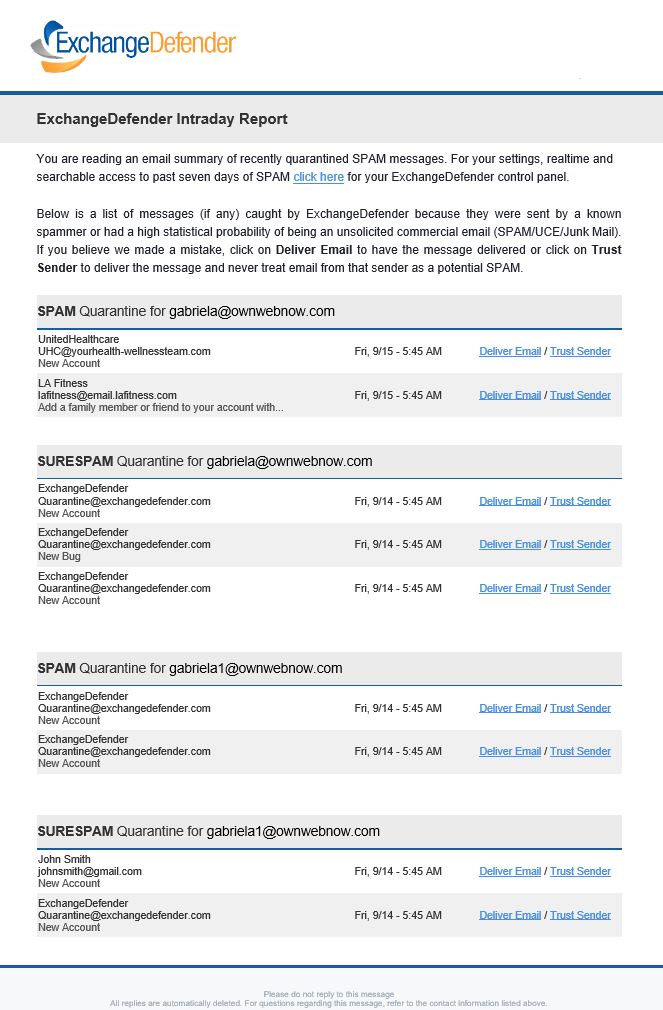
You’ve only been waiting 20 years for this feature and we’re happy to finally deliver it: ExchangeDefender will now show friendly display names and email addresses, giving you a better idea of who the email sender is.
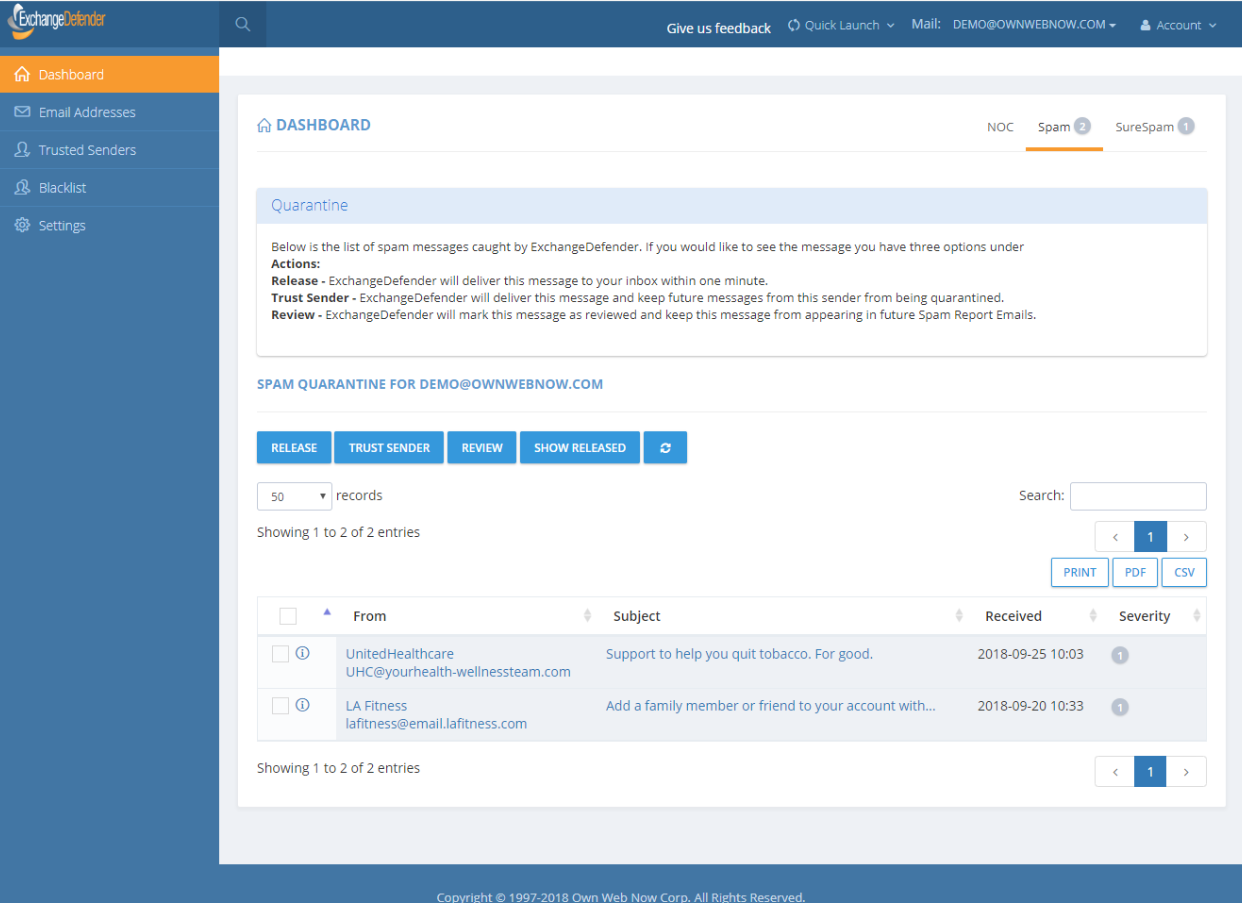
This is a slightly technical pragraph that we encourage you to skip. Every email you receive has two From: addresses. One is a “friendly from” or “header from” address that prints the name of the sender as the user configured it inside their mail software such as Outlook or Gmail. The other is an “envelope from” or “mail from / return path from” address that is used for mailer/postmaster reasons to bounce and process messages. As an email security solution, ExchangeDefender only looks at and reports envelope addressing as the friendly from can easily be spoofed and faked and generally has no impact on the underlying SPAM filtering technology, message routing, SPF/DKIM, and a myriad of other technical reasons. Two decades ago, when ExchangeDefender was first and foremost meant to be a front line defense on the edge/perimeter before allowing traffic to get to the firewall, envelope from was what I went with.
What made sense two decades ago, which is centuries in IT terms, doesn’t make sense in 2018. Today ExchangeDefender is no longer primarily an edge security service, it is prime real estate in which end users and business employees spend a considerable amount of their time managing their mail, sending documents, sending encrypted attachments, assuring compliance, collaborating, and as such the design and the content needs to show something relevant to the user (not the IT administrator power user that is likely managing things through our powerful Domain Administrator section).
Oh, and by the way, it’s also going to show up like this in our updated SPAM Reports starting in October for our ExchangeDefender Pro subscribers:
P.S. Please tune into our new feature webinar on Wednesday, October 17th, 2018 at noon EST. Lot’s of new features are coming in ExchangeDefender as we transform the product to better serve the compliance and security needs of our clients. Register Now!
ExchangeDefender’s Billing Compliance Enforcement Notice
Billing Compliance Enforcement
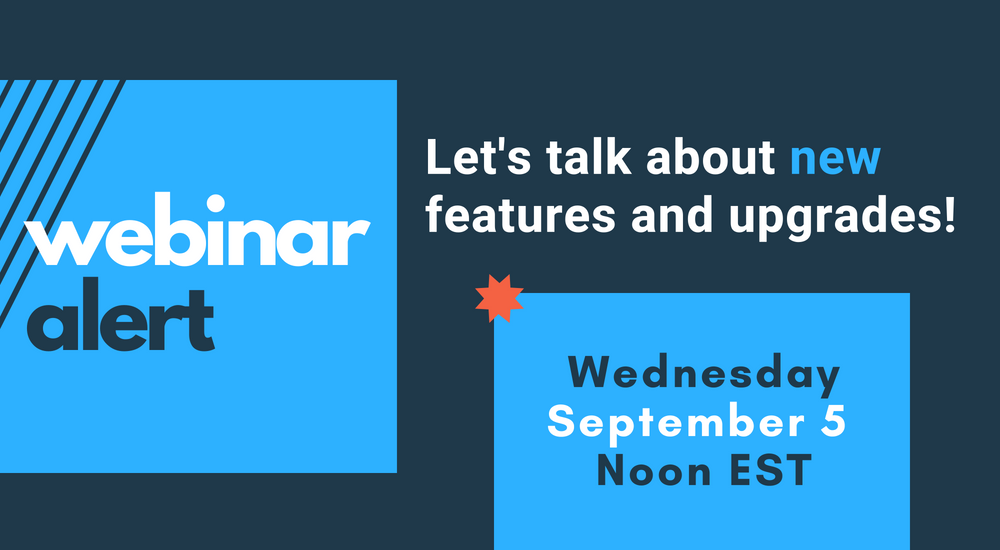
September marks another huge month in which we’re cleaning up some of our old “small business ways and means” and replacing them with industry standards, in every facet of our business. But before we get into that, as the changes are both service related and product related, we would again like to remind you to sign up for the big webinar we have on September 5th:
ExchangeDefender New Stuff Webinar
Wednesday, September 5th. Noon EST
https://attendee.gotowebinar.com/register/1810967512151336450
“I cannot urge you enough to attend the webinar and see the changes and improvements that are coming to our products and services. You truly need to understand the structure and the vision behind it because we’re doing the same thing we’ve always done: respond to client requests and how the marketplace dictates what people will pay for and how. So I urge you to please attend the webinar and hear directly from me what we’re up to and how you can run into fewer issues and make more money with us.”
-Vlad Mazek
CEO, ExchangeDefender
Billing Policies
None of the following policies are new or designed to impact our clients in good standing.
Our billing policy has not changed in 20+ years, but we’ve never enforced it fully, and we believe it won’t be an issue for anyone. So for the record:
– We need a 30 day notice on any services you wish to remove from ExchangeDefender (and any of our products, sites and services). We tend to be fairly flexible with this and will continue to do so.
– Any services cancelled within the last 2-3 business days of the 1st of the month will be billed on the 1st and there will be no refunds. See the 30 day policy above.
– Service cancellations will be disabled within the last 12 hours of the month. Our staff will not be able to process them via phone/tickets, they will be locked out as well.
The reason we are suddenly enforcing this policy is because we’ve noticed a significant amount of fraud related to people gaming first/last of the month (where you cancel the service on the last of the month, skip the billing cycle that runs on the 1st, then setup the new service on the 1st and get a free month). If our enforcement of our billing policies seems unfair please keep in mind that we do give you free service from the moment you sign up for the service until the 1st of the month. The other reason is that we cannot process changes and update invoices within hours of the amounts being submitted to the credit card processor.
Late Fees
Late fees will also affect a small but persistent contingent of our client base that is trying to game and hide from what are fair business practices of paying the vendor. Because we’ve never charged late fees we have a few dozen clients that hide, provide fake credit card numbers or otherwise try to get as much free service as possible. Payment for all services is due on the 1st. If the invoice isn’t paid by the 5th (12:01 AM) invoice will automatically get a $39 late fee. If the invoice remains unpaid by the 15th (12:01 AM) the services will be suspended and subject to other legal remedies, along with an additional $69 re-connection fee.
These policies have not been enforced as a matter of personal courtesy we extended to our partners during the economic collapse of 2006-2009. Today, they require personal interaction and activity by a member of our staff, and every unpaid invoice and billing ticket about not cancelling the service in a timely manner is costing us (and our partners) which isn’t fair.
As mentioned above, these policies will not be an issue for anyone but a small handful that has been abusing the system. As a security company we are constantly being audited and leaving open invoices, not charging, late fees, policies that aren’t being enforced and so on are constantly flagged by our accounting, legal and even compliance auditors so we’re being forced to get a grip on everything. Thankfully, it won’t be much of an issue and we look forward to using freed up resources to deliver a better service to all of our clients.