

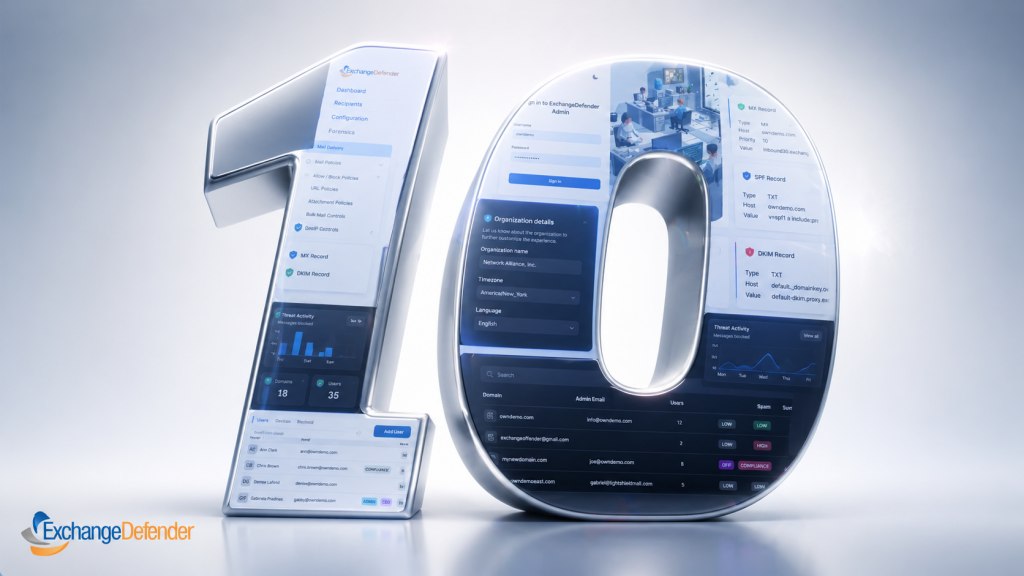

Announcing ExchangeDefender 10
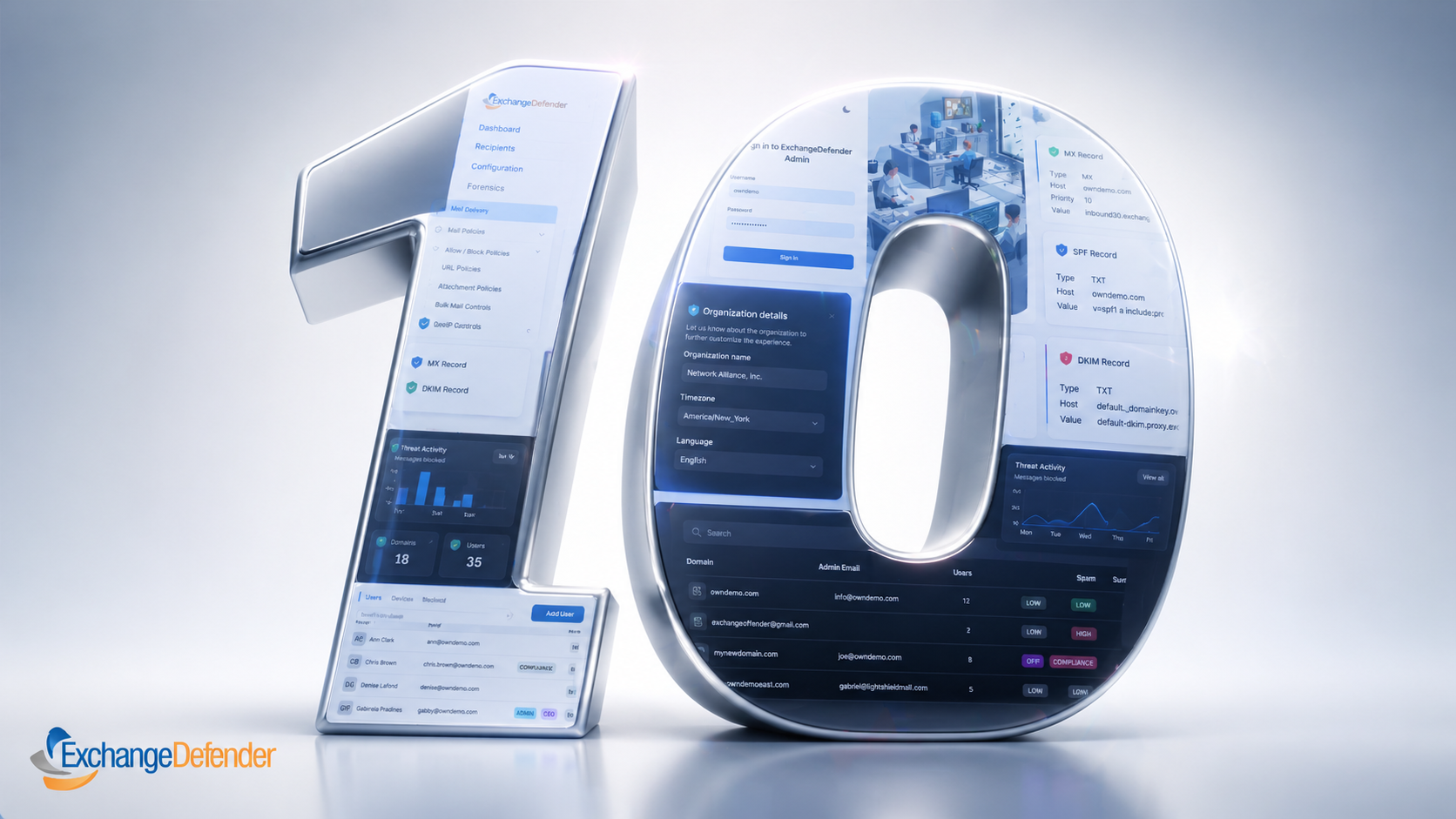
We’re thrilled to announce ExchangeDefender 10, our latest massive upgrade to the ExchangeDefender email security platform. We’ve officially finished our beta testing and our admin.exchangedefender.com will be running ExchangeDefender 10 on Wednesday, April 29th, 2026.
To build this new platform we’ve considered a ton of feedback our users send through the app, analysis of tickets and our day-to-day support, logs and analytics – all of which helped us build a faster, more efficient email experience for our users. Our new interface scales perfectly for use on a smartphone, tablet, PC, or multiple screens if you’re deep diving into logs.
We have made a lot of progress in the area of platform & policy management, security enhancements, reporting & visibility, and tons of user experience improvements as we inch towards being our users all-purpose email service. The modernized portal framework and everything that was upgraded on the backend gives us flexibility to help deliver better protection from AI threats.
Simultaneously, we’re becoming the way AI agents send and process email (ExchangeDefender MCP server) so we’re aggressively responding to the newest threats that come as a result of AI and automation.
Our admins will love the new forensics section, integrating quarantine and mail/error logs so you can quickly locate the message and get all the information you would have previously had to open tickets or search for in other logs.
ExchangeDefender 10 will launch on Wednesday, April 29, 2026 and you will be able to start the new experience by clicking the link in the header. We will be opening access to our Service Providers and Domain Administrators who will have the new UI available and increasingly becoming the default. This gives us the ability to slowly first let power users opt in, then enroll more and more of our users base into the new UI — we can fix any issues quickly and everyone gets time to transition to the new look & feel.
Why IoT Devices Are a Hidden Security Risk for Your Business
…and how to protect your network before it’s too late

We all love the convenience of connected devices. Smart thermostats, IP security cameras, Wi-Fi printers they’re everywhere in today’s small business and home-office setups. But with that convenience comes risk. So, what risk is posed by internet of things devices?
Many Internet of Things (IoT) devices are built for speed-to-market, not security. And when they’re connected to your business network, they can become a back door for attackers.
Here’s what you need to know and how ExchangeDefender can help keep your systems safe.
The Attack Surface Just Got Bigger
Every IoT device is basically another computer on your network often with weaker defenses. From smart sensors to printers to cameras, they connect and they communicate.
A recent report found that nearly half of all network connections involving IoT devices originate from high-risk equipment (unpatched, misconfigured, or insecure).
(Source: TechRadar)
If you leave devices unmonitored or on the same network as your PCs and servers, you’re handing attackers a faster route to your data.
Built-In Weaknesses (That Attackers Love)
Here are the most common IoT failings:
- Weak/default passwords — Many devices ship with generic admin logins. (Keyfactor)
- No encryption or insecure protocols — Some devices transmit data in plain text. (EMnify)
- Unpatched firmware — Devices often stop receiving updates, leaving vulnerabilities open. (OVIC)
- Unsegmented networks — Mixing IoT with critical systems is a recipe for risk. (Fortinet)
In short: IoT devices often lack enterprise-grade security controls, making them easy entry points for hackers.
The Real-World Risks
Here’s how things can go wrong fast:
- A compromised security camera becomes part of a botnet launching attacks. (Wikipedia: Mirai Malware)
- A smart building sensor with default credentials is used to access internal systems.
- An unpatched industrial IoT device introduces ransomware into a manufacturing network.
- IoT devices leak sensitive data after vendors stop issuing updates.
If you’re a small or medium-sized business (SMB), you’re both agile and vulnerable. IoT devices often fall into the “too small to worry about” category until they become the problem.
What matters most is visibility, segmentation, and defense.
How ExchangeDefender Helps
Protecting your network doesn’t mean hunting down every smart bulb it means building layers.
- Email & threat filtering: Even if attackers get in, phishing is their next move. We block that.
- Network segmentation support: Isolate IoT traffic and protect core systems.
- Policy control & visibility: Know what’s connected and manage permissions.
- Compliance coverage: IoT vulnerabilities can lead to compliance failures: we help plug that gap.
Simple Steps You Can Take Today
- Audit: Make a list of every connected device: printers, sensors, cameras, etc.
- Segment: Create a separate network for IoT traffic.
- Update: Keep firmware current. Replace devices no longer supported.
- Secure Credentials: Change default passwords and enable MFA.
- Monitor Traffic: Watch for odd connection patterns.
- Vet Vendors: Work only with IoT vendors that offer security transparency and updates.
IoT is now part of every modern business but if you ignore it, you invite risk. By segmenting, auditing, and protecting connected devices, you can enjoy innovation and security.
ExchangeDefender helps you build a layered defense, so even the smallest device on your network doesn’t become your biggest security hole.
Top 5 IT Problems Small Businesses Face in 2025 — and How to Fix Them

Small businesses are more tech-enabled than ever — but that doesn’t mean the road is smooth. Between rising cyber threats, hybrid work headaches, and the pressure to adopt AI, SMBs are under serious digital strain.
Let’s unpack the top five IT problems small businesses face in 2025, why they matter, and what you can do to stay ahead.
1. Cybersecurity Threats: The Ever-Growing Risk
Why it’s a problem
Cybercriminals know that small businesses often lack the deep defenses of larger enterprises. According to a StrongDM study, 75 % of SMBs say they couldn’t continue operating if hit by ransomware. (strongdm.com)
Add to that the explosion of phishing and social-engineering campaigns targeting remote workers, and it’s a perfect storm.
What makes it worse
- Many SMBs lack dedicated budgets or in-house security expertise.
- Breaches now cost small firms an average of $1.3 million in downtime, recovery, and lost revenue. (verizon.com)
What to do about it
- Enable multi-factor authentication (MFA) on all critical systems.
- Conduct regular security awareness training.
- Keep endpoint protection and backups up-to-date.
- Partner with a managed security provider (MSSP).
- Draft and test an incident-response plan.
2. Hybrid & Remote Work Infrastructure Challenges
Why it’s a problem
The shift to hybrid and remote work forced small businesses to rebuild operations overnight. Many discovered that their infrastructure simply wasn’t ready.
- 46 % of IT leaders said their cybersecurity posture weakened due to hybrid and remote setups in 2025. (sqmagazine.co.uk)
- SMBs report struggling with connectivity, remote device management, and endpoint security. (teamwork.com)
What makes it worse
- Home networks lack corporate-grade firewalls.
- IT teams are stretched thin handling remote troubleshooting.
- Employees use personal devices or shadow-IT tools that bypass policy.
What to do about it
- Standardize devices or enforce minimum security baselines.
- Deploy mobile device management (MDM) and endpoint-monitoring tools.
- Use VPNs or adopt a zero-trust network model.
- Train remote employees on safe digital practices.
- Monitor remote endpoints continuously for unusual activity.
3. The Talent Shortage & Skills Gap
Why it’s a problem
The global IT skills gap is hitting small businesses hardest. Many can’t compete with enterprise salaries or recruitment budgets. A 2025 survey found talent retention and acquisition among the top 3 SMB IT challenges. (teamwork.com)
What makes it worse
- High turnover drains institutional knowledge.
- IT generalists are overextended.
- Lack of specialists means slower adoption of new tech and higher risk.
What to do about it
- Outsource key functions like cybersecurity or cloud management.
- Invest in ongoing training and certifications for existing staff.
- Build a retention culture — flexible work, recognition, and growth.
- Automate repetitive tasks to reduce workload.
- Document all processes to preserve knowledge continuity.
4. Legacy Technology & Integration Headaches
Why it’s a problem
Many small businesses still rely on outdated software or hardware, which creates performance and compatibility problems.
What makes it worse
- End-of-life systems stop receiving security updates.
- Old software doesn’t integrate with modern cloud tools.
- Employees waste hours on manual or redundant workflows.
What to do about it
- Conduct a full tech inventory — list every device, OS, and license.
- Prioritize upgrades for mission-critical systems.
- Use integration platforms (APIs, iPaaS) to bridge new and old.
- Plan phased cloud migrations.
- Maintain a 12-24 month modernization roadmap.
5. Keeping Up with Cloud, AI & Automation
Why it’s a problem
AI, automation, and advanced cloud services promise efficiency — but they also overwhelm small teams. Many SMBs say they want to use AI but lack the training and data readiness to implement it effectively. (techradar.com)
What makes it worse
- Rapid vendor changes confuse decision-makers.
- AI and automation rely on secure, structured data.
- Many small firms lack governance policies or pilot frameworks.
What to do about it
- Start small — pick one clear process to automate.
- Tie every tech initiative to a measurable business goal.
- Focus on data hygiene before deploying AI.
- Upskill your staff with AI-readiness workshops.
- Measure ROI quarterly — what saves time, reduces errors, or adds value?
2025 is the year small businesses either double-down on digital resilience — or risk getting left behind. The right mix of security, modernization, and smart partnerships will determine which side your business lands on.
Need help strengthening your IT defense? ExchangeDefender can help you protect data, empower remote teams, and modernize securely.
What Is a Watering Hole Attack (and Why You Should Care)
Ever heard of a watering hole attack? It sounds like something from the wild, but it’s actually one of the sneakier tricks in the cyber world. Watering hole attacks are most commonly classified as a supply chain attack (or strategic web compromise).
Instead of chasing their victims, cybercriminals set a trap where they know their targets will go, just like predators waiting at a watering hole for unsuspecting animals to stop by for a drink.
In tech terms, that “watering hole” is a trusted website, one you visit all the time for business, industry news, or client services. Attackers quietly infect it with malicious code, and when you or your coworkers visit it, bam you’ve just been compromised.
How It Works
- Reconnaissance: The attacker figures out which websites your team visits regularly—like a vendor portal, industry association, or community forum.
- Compromise: They hack that website and inject malware or exploit code into it.
- Infection: When someone from your company visits, their browser runs the hidden script, downloading malware in the background.
- Exfiltration: Now the attacker has a foothold on your system or network, ready to steal data or credentials.
And the worst part? Because it’s coming from a legitimate, trusted website, traditional filters or security systems often don’t raise a red flag.
Why It’s So Dangerous
Watering hole attacks are hard to detect because everything looks normal—until it’s not.
- You’re hit through websites you trust.
- The malicious code is often hidden in legitimate content.
- Multiple users can be infected at once.
- The attacker can remain undetected for weeks or even months.
These attacks are increasingly popular among state-sponsored groups and targeted business espionage, especially when the goal is to infect an entire sector (like defense, finance, or law).
How to Protect Your Business
Here’s how to keep your team from “drinking from the wrong watering hole”:
- Keep software and browsers updated – Patch vulnerabilities fast; attackers love outdated plugins.
- Use advanced endpoint protection – Behavioral security catches weird activity that signature scanners miss.
- Segment your network – Limit how far an infection can spread.
- Monitor your vendors and partners – Make sure the sites you rely on aren’t compromised.
- Deploy DNS and email security solutions – Stop malicious redirects, attachments, and spoofed domains before they ever reach your team.
- Educate your staff – Even legit-looking sites can be hijacked; stay alert for unexpected downloads or pop-ups.
How ExchangeDefender Helps
At ExchangeDefender, we’re big believers in layered defense—because one tool can’t stop every type of threat.
- Our email security blocks phishing and malware before they hit your inbox.
- Our DNS protection helps stop users from reaching malicious or hijacked websites.
- And our policy controls give admins the ability to manage block and allow lists across entire organizations—no guesswork, no chaos.
It’s all about closing the gaps between trust and risk—so you can browse, click, and communicate safely.
👉 Learn more about securing your communications: www.ExchangeDefender.com
Reject vs Quarantine vs Allow: What Email Filtering Policies Really Do
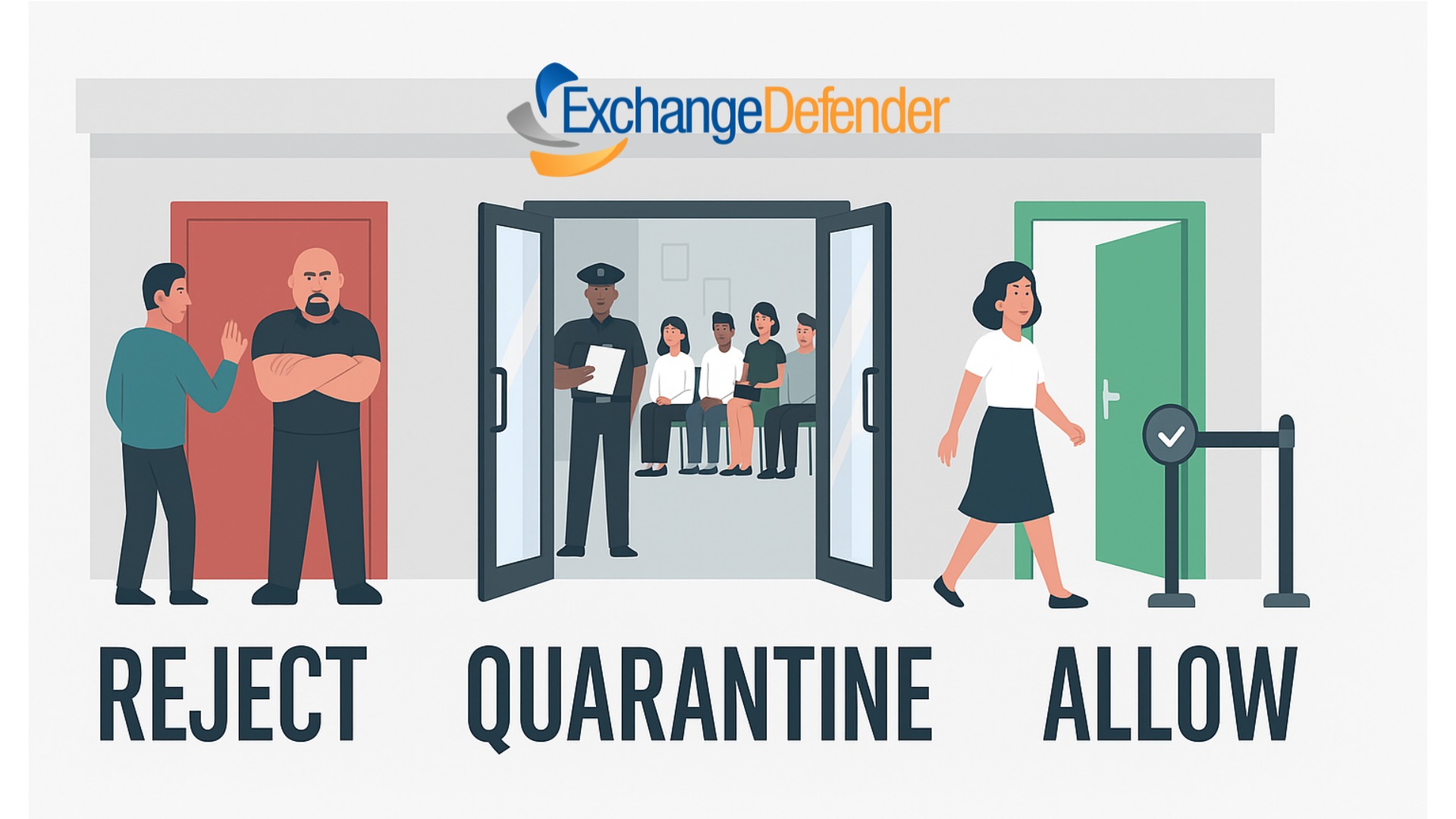
If you’ve ever peeked under the hood of your email security, you’ve seen the terms Reject, Quarantine, and Allow. They sound simple, but these policies are the foundation of keeping your inbox safe, your business compliant, and your team productive.
With ExchangeDefender’s recent rollout of Advanced Reject Policies, it’s the perfect time to revisit what each of these settings actually does—and why getting them right matters more than ever.
Reject: The Bouncer at the Door
Think of Reject like a bouncer outside a nightclub. If the email doesn’t meet the rules, it never even gets through the door.
- Pros: Keeps dangerous or clearly unwanted mail out of your system entirely. No wasted storage, no wasted attention.
- Cons: If set too aggressively, you risk rejecting legit mail. That’s why ExchangeDefender gives you fine-grained control with Advanced Reject Policies—so you can block the bad stuff without hurting business.
Quarantine
Quarantine is the middle ground. Suspicious emails get flagged and held in a safe spot for review.
- Pros: Great for those “not sure” cases. Lets admins or users review questionable messages without risking exposure.
- Cons: Requires regular checks—if your team never looks at quarantine, important messages could be missed.
Allow: The VIP Pass
An Allow list tells your email security solution, “This sender is trusted—let them through, no questions asked.”
- Pros: Cuts down on false positives and ensures important partners or clients never get blocked.
- Cons: Dangerous if misused—once someone is on the allow list, they can bypass normal security checks. (Pro tip: prune your Allow list regularly!)
Why Balance Matters
Email filtering isn’t one-size-fits-all. The right mix of Reject, Quarantine, and Allow ensures your inbox is safe but not restrictive. ExchangeDefender now lets admins:
- Apply Reject Policies at domain and user levels.
- Fine-tune rules to comply with organizational or regulatory needs.
- Manage lists in bulk with Import/Export tools.
This means fewer missed emails, stronger security, and better compliance reporting.
Final Thoughts
Reject, Quarantine, and Allow aren’t just “settings”—they’re the rules that decide who gets in, who waits outside, and who never shows up. With ExchangeDefender’s new Advanced Reject Policies, you have more power than ever to tailor these rules to your business needs.
👉 Curious how to get started? Check out the full announcement here!
Top 7 IT Solutions Every Small Business Needs in 2025
Running a small business in 2025 means you’re not just the CEO—you’re also the head of HR, sales, customer service, and IT security (even if you don’t want to be). That’s why searching for small business IT solutions near me has become so common. The good news? You don’t have to juggle it all. With the right IT services in place, you can protect your business, impress your clients, and sleep at night knowing your data is safe.
Here are the 7 must-have IT solutions every small business should consider this year (and how ExchangeDefender makes them simple).
1. Rock-Solid Email Security
Phishing, spoofing, spam, ransomware—it’s like a horror movie lineup, and email is still the #1 way attackers sneak in.
Solution: ExchangeDefender Email Security keeps your inbox clean and safe, making it one of the most trusted email security solutions for small business.
2. Compliance & Archiving
Whether you’re in healthcare, finance, or legal, compliance is no joke. Even if you’re not, having a secure record of all communications is just smart.
Solution: ExchangeDefender Archiving provides fully compliant, searchable records. Perfect for audits, peace of mind, and anyone Googling IT support for small business compliance.
3. Business Continuity
Imagine this: your internet goes down, but your email doesn’t. That’s true business continuity. No downtime, no missed deals.
Solution: With ExchangeDefender Inbox, your email keeps flowing, even if your servers or ISP fail.
4. Email Data Backups (Because Stuff Happens)
Hard drives fail. Employees delete things. Coffee spills. It happens.
Solution: Automated cloud email backups with ExchangeDefender Live Archive mean you’re never more than a few clicks away from recovery. That’s why so many people search for small business IT solutions near me—because accidents don’t wait for business hours.
5. Cloud Services That Actually Work
The cloud isn’t just hype—it’s how small businesses gain big-business power without the cost.
Solution: ExchangeDefender’s hosted email, cloud services, and managed IT give you enterprise-grade power without the enterprise headache.
6. Secure File Sharing & Encryption
Clients expect security when sharing sensitive data. Old-school email attachments don’t cut it anymore.
Solution: ExchangeDefender Secure File Sharing makes secure file sharing for small businesses simple, with encryption built right in.
7. Responsive IT Support
Even the best tech can break or confuse us. Having experts you can actually talk to (without 4-hour hold music) is priceless.
Solution: ExchangeDefender’s IT support team helps small businesses get fast, real solutions when they need them most.
Wrapping It Up
2025 is the year to stop seeing IT as “extra.” These seven solutions are your business insurance, your growth engine, and your peace of mind rolled into one.
And here’s the kicker: you don’t need seven different vendors. ExchangeDefender bundles everything together—making it the go-to for anyone searching IT solutions for small businesses near me.
👉 Ready to see how it works? Request a demo and let’s get your business future-proofed.
Hackers Use Fake WeTransfer Emails to Steal Your Information
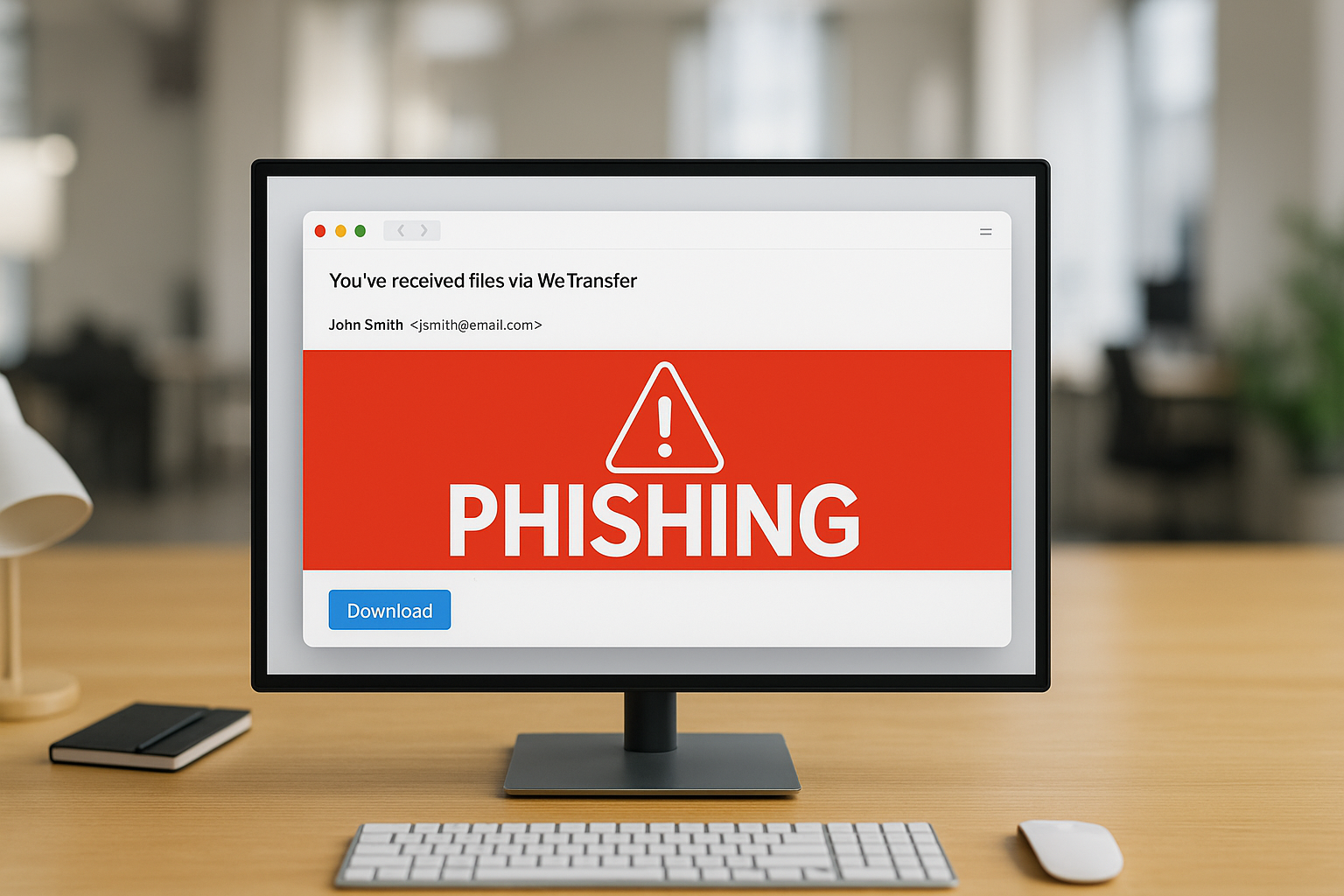
If you’ve ever shared a big file online, chances are you’ve used WeTransfer. It’s quick, it’s easy, and most importantly—it’s trusted. And that’s exactly why scammers love it.
Lately, there’s been a wave of phishing emails that look like they’re coming from WeTransfer. You get a message in your inbox saying something like:
- “You’ve received files”
- “Here’s your invoice via WeTransfer”
- “Download your contract now”
Sounds legit, right? The problem is, those links don’t actually take you to WeTransfer. Instead, they lead you to sketchy sites designed to steal your email login, personal info, or even infect your computer with malware.
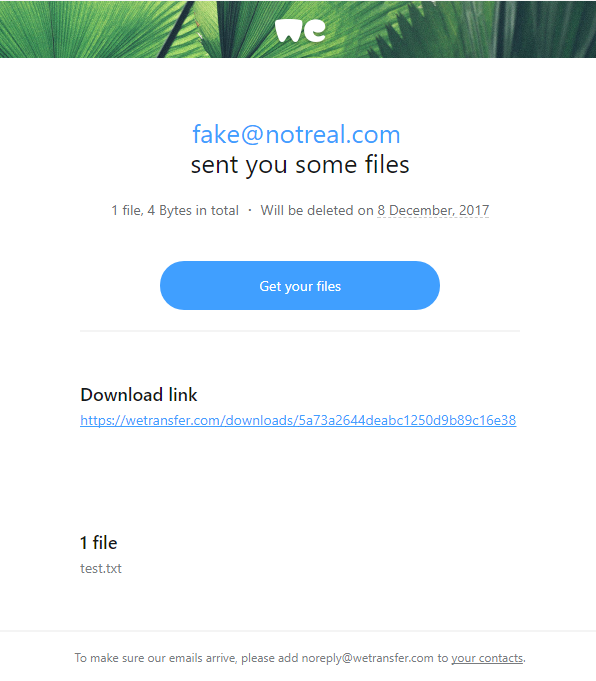
Fordham Edu
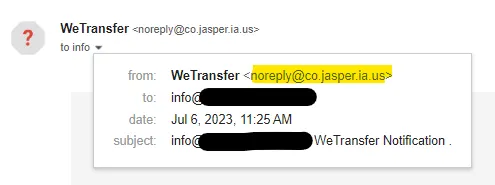
https://medium.com/@resonance.security
So, how do you spot a fake?
Here are some quick red flags:
- Check the sender’s address. Real WeTransfer emails come from
@wetransfer.com. Anything else? 🚩 - Hover over the link. If the URL doesn’t point to
wetransfer.comorwe.tl, don’t click. - Unexpected transfers. If you weren’t expecting files, especially invoices or contracts, double-check with the sender.
- Scare tactics. If the message pressures you with “download immediately” or “expires in 1 hour,” take a breath. That urgency is a classic trick.
- Attachments. WeTransfer usually gives you a download link, not random attachments with .zip or .exe files.
What’s at risk if you fall for it?
A lot, unfortunately. Clicking on a fake transfer can mean:
- Your email or cloud account gets hacked.
- Sensitive data leaks into the wrong hands.
- Your device gets hit with malware (worst case: ransomware).
How to protect yourself
The good news? Staying safe is pretty simple:
- Verify before you click. If someone says they sent you files, confirm with them outside of email (call, text, Teams, Slack—whatever you use).
- Turn on MFA. Multi-factor authentication makes it way harder for scammers to break into your accounts.
- Keep your guard up. Train yourself (and your team, if you’re running a business) to spot phishing tactics.
- Update your devices. Security patches and antivirus tools help catch threats before they cause real damage.
How ExchangeDefender Helps
Here at ExchangeDefender, we take phishing attacks like these seriously. Our filters flag suspicious links, block spoofed domains, and keep bad emails out of your inbox before you even have to think about them. Plus, we love keeping you in the loop with updates like this—because knowledge is one of the best defenses.
Our Expert Tip:
WeTransfer is a great tool, but remember: scammers always follow trust. The more popular a platform is, the more likely it’s going to be abused. So next time you see that “You’ve received files” email—pause, hover, and think before you click.
Sources
What Happens After a Cyber-Attack? The Real Cost for Small Businesses
Let’s face it—most small businesses don’t wake up thinking today will be the day they get hacked. But when it happens, the impact can be swift, serious, and long-lasting.
A small business has suffered from a cyber-attack—what could be the resultant damage?
Spoiler: It’s a lot more than just a locked computer screen.
Let’s break it down in plain English.
Financial Fallout
Hackers love going after small businesses because defenses are often weaker—and payouts can still be big.
- Ransomware may demand thousands just to give back access to your files.
- Phishing or business email compromise could lead to fraudulent money transfers.
- Remediation costs (forensic investigation, legal help, software cleanup) stack up fast.
And while you’re fixing all that…
Time Is Money—And You’ll Lose Both
Most small teams rely on a few key systems to keep things moving. When those go down, so does your ability to do business. Orders get delayed. Calls go unanswered. Work comes to a screeching halt. And while the tech side gets untangled, your customers? They’re already wondering what’s going on.
You might be offline for hours. Maybe days. Either way, your clients won’t wait forever.

It Gets Personal Fast
A lot of cyberattacks aren’t just about locking up files—they’re about stealing data. That could mean employee records, customer information, payment details, contracts, or anything else sensitive. If that data ends up exposed, you may have to notify everyone affected. In some industries, that’s not just a courtesy—it’s the law.
And if clients lose trust? That can cost far more than any ransom demand.
The Recovery Isn’t Just Technical
Once the threat is handled (and your blood pressure returns to normal), you still have to deal with the cleanup. That might mean replacing devices, hiring an expert to audit your systems, redoing your cybersecurity setup, or retraining your team.
The worst part? This whole situation was probably preventable.
You Don’t Need an IT Department to Be Protected
Most small businesses don’t have a dedicated IT team—and that’s exactly why hackers love targeting them. They count on people being too busy, too stretched, or just unaware of the risks.
That’s where we come in.
ExchangeDefender is built for teams like yours—small, mighty, and ready to protect what matters. From secure file sharing to bulletproof email protection, we make cybersecurity simple, affordable, and human.
5 Hidden Email Problems Encryption Solves Instantly
(and why ExchangeDefender is your easiest fix)
For most small businesses, email is the default way to communicate, send documents, close deals, and support clients. It’s fast, familiar, and convenient.
But under the surface? It’s also where some of your biggest risks live—risks that most SMBs and MSPs don’t see until it’s too late.
That’s where ExchangeDefender Encryption comes in. It’s not just about locking emails—it’s about solving the real problems you didn’t even know you had. Here are five issues it tackles the moment you turn it on:
1. You sent it to the wrong person
Mistakes happen. But when they involve sensitive info, they can turn into major incidents.
ExchangeDefender Encryption makes sure that even if your email ends up in the wrong hands, it can’t be read without proper authentication.
2. Your attachments are exposed
Contracts, client data, tax info—your attachments carry the good stuff. And without encryption, they’re easy targets.
With built-in attachment protection, ExchangeDefender keeps your files locked tight during transit and storage.
3. You have zero visibility
Standard email doesn’t tell you what happens after you hit “send.” Did they open it? Forward it? Screenshot it?
ExchangeDefender gives you detailed tracking and read receipts, so you stay in the loop.
4. Your team uses different email platforms
Some use Outlook. Some use Gmail. Others are mobile-only. Security gaps are everywhere.
ExchangeDefender works seamlessly across all platforms—no special downloads, no learning curve, just secure email everywhere.
5. You’re worried about compliance
HIPAA. GDPR. CMMC. It’s a lot. And falling short isn’t an option.
ExchangeDefender offers auto-detection, policy enforcement, reporting, and message expiration tools to make compliance a breeze.
Bottom line
You don’t have to overhaul your email system to get secure. With ExchangeDefender Encryption, you protect sensitive data, build client trust, and avoid costly mistakes—with one simple solution.
What Happens to Your Email During an Outage?
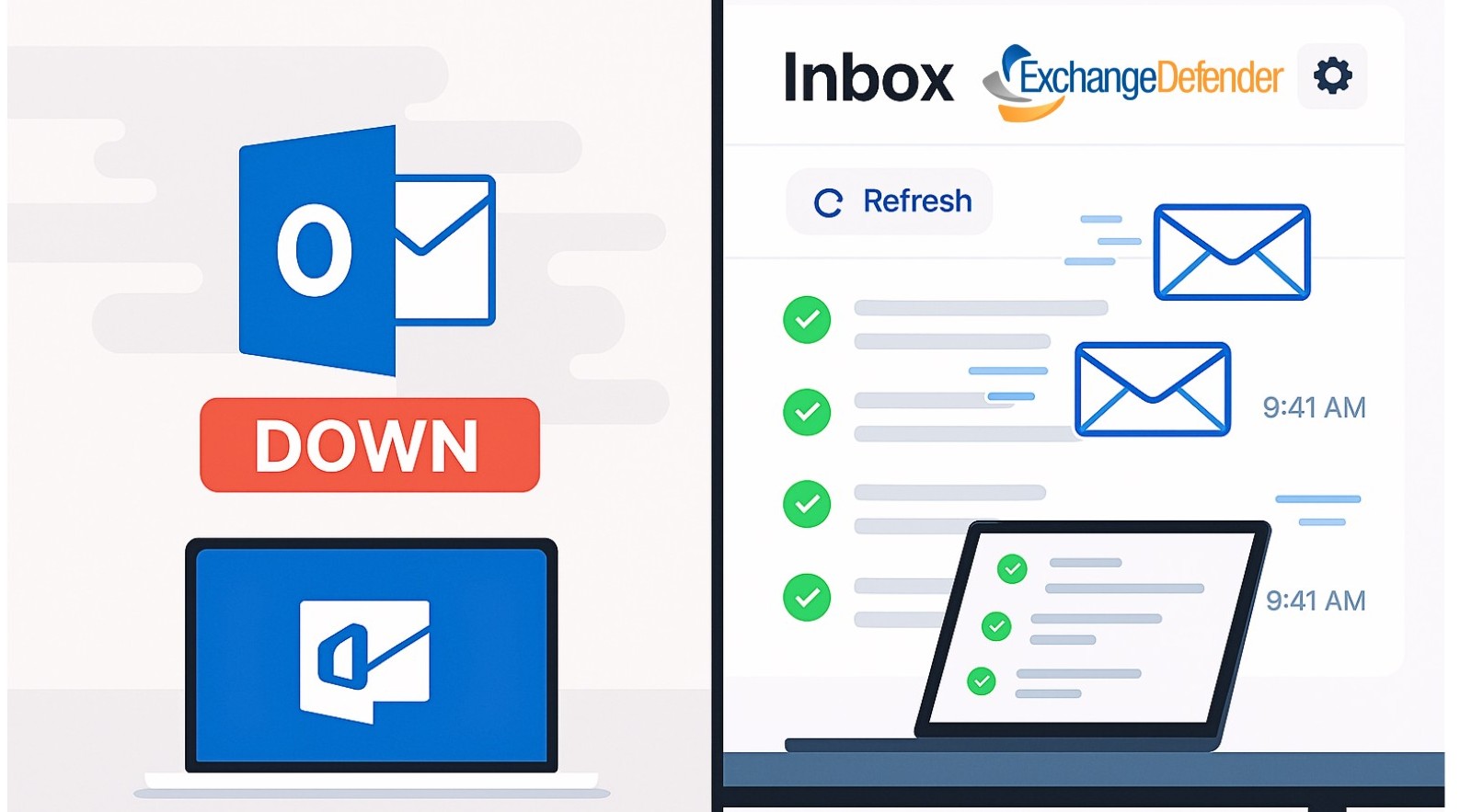
It’s Monday morning. Your inbox is unusually quiet. You open your browser—Outlook is down. Gmail? Frozen. Panic mode begins.
Enter Inbox by ExchangeDefender: your seamless, always-on backup email solution designed to just work when your primary provider doesn’t.
Never Miss an Email—Even During Outages
Email outages aren’t just annoying—they can be devastating for business. Whether it’s Microsoft 365, Google Workspace, or any other email provider, downtime happens. What matters is how quickly you bounce back.
Inbox automatically activates when your main email goes offline. No downloads. No IT tickets. No setup. Just log in and keep communicating with your clients, vendors, and team like nothing ever happened.
Real-Time Archiving + Instant Access
Inbox isn’t just a “break glass in case of emergency” tool—it’s your live email archive. Every incoming and outgoing message is captured before it hits your mailbox. That means:
- Access to every message, even if Outlook never delivered it
- Searchable archives by date, sender, subject, or keyword
- Full message read/reply/forward functionality built in
It’s not just backup. It’s better-than-backup.
Works Anywhere, on Everything
Need to check in from your phone during an outage? Done. Working on your iPad from the airport lounge? Easy. Inbox works on:
- Desktops
- Tablets
- Mobile devices
- Any browser
Whether you’re fully remote, hybrid, or in the office, you’re always connected.
No Learning Curve. No Stress.
Unlike most email continuity solutions that require complicated server setup or IT babysitting, Inbox is plug-and-play. It’s designed for regular users—just log in and go. It works invisibly in the background until you need it, then steps into the spotlight like a superhero with a clean interface and powerful tools.

Final Thought: Inbox Is Peace of Mind
You don’t need to wait for the next outage to start thinking about business continuity. Inbox gives you confidence that even when your primary provider fails, your communication won’t.
🔒 Your email is always available.
💬 Your conversations never stop.
📦 Your business keeps moving.
Ready to see how Inbox makes outages disappear? Download the brochure or try a live demo!